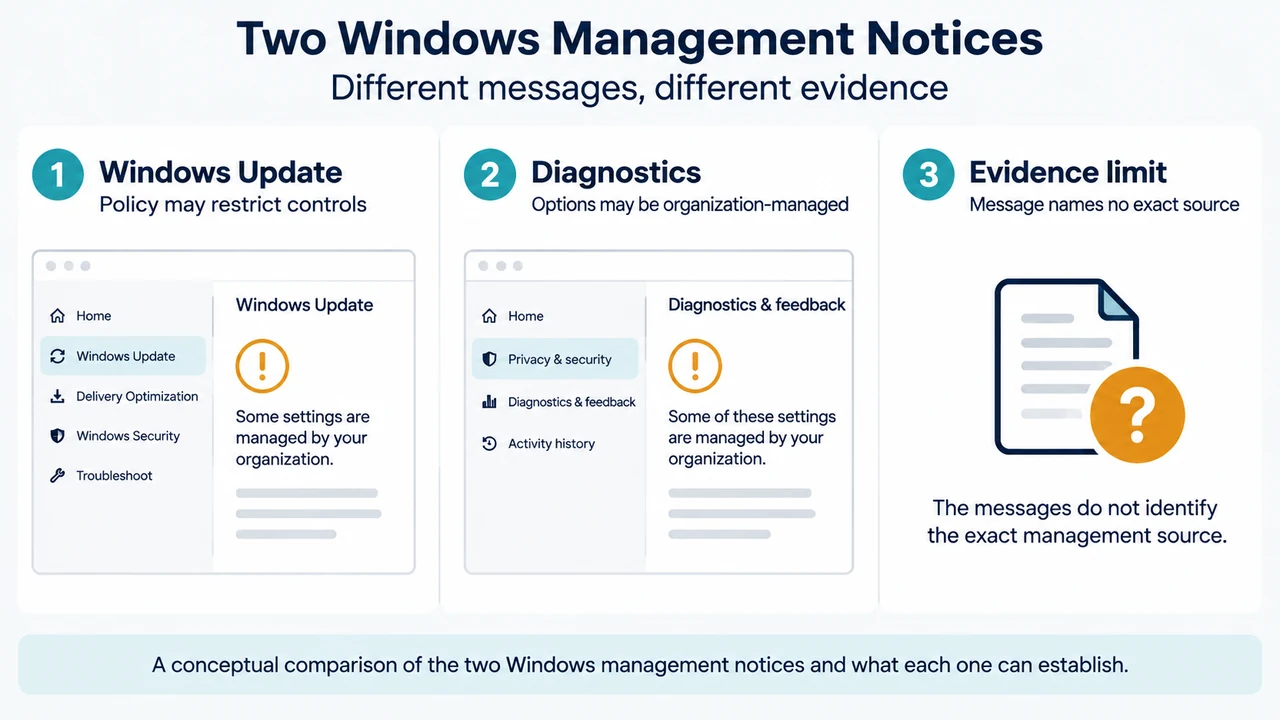
If Windows 10 or Windows 11 shows Some settings are managed by your organization in Windows Update, or Windows Update pause controls are greyed out, the message does not by itself identify the exact policy or who configured it. Microsoft documents that Windows Update client policies can be controlled through Group Policy or mobile device management (MDM), and that Group Policy settings may be configured locally on a device.
The safest first step is to identify whether the affected setting belongs to the documented Windows Update policy area. Do not delete registry entries or reset policies based only on this message.
What the Windows Update message can establish
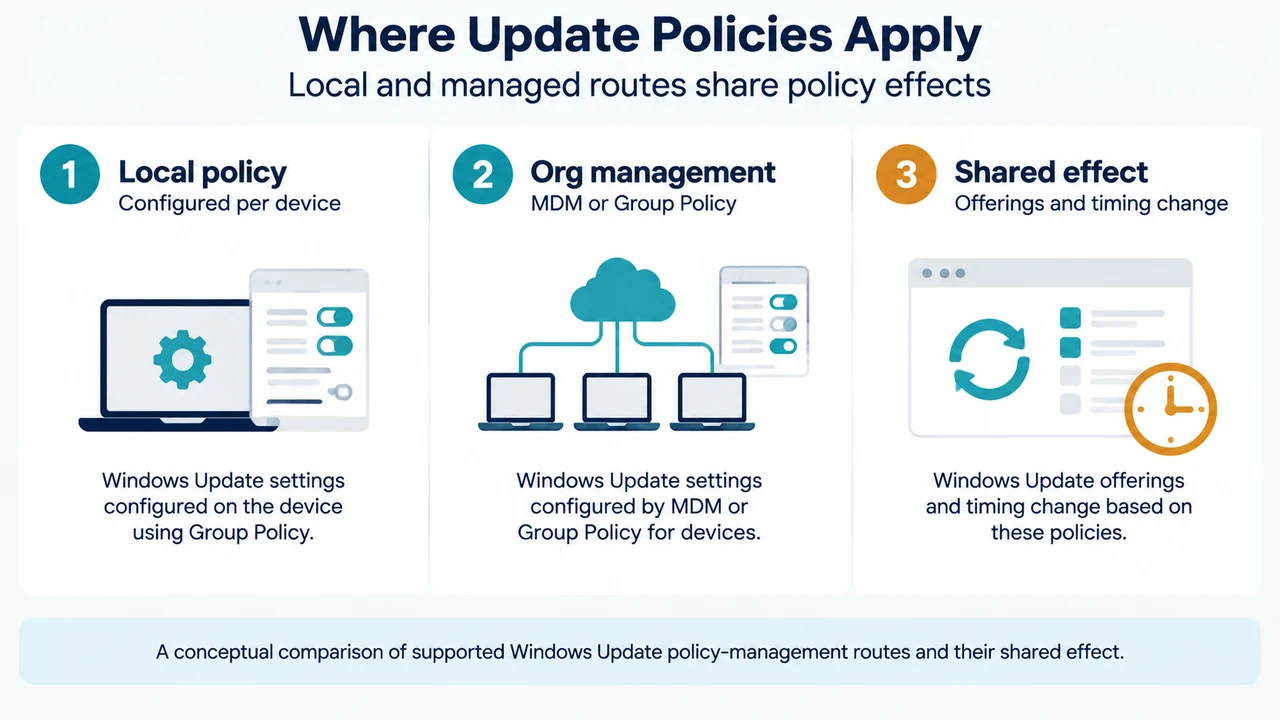
Microsoft’s Windows Update documentation says an administrator can configure Windows Update client policies with Group Policy or MDM. Group Policy can be used through the Group Policy Management Console, and relevant Windows Update policies are under:
Computer Configuration > Administrative Templates > Windows Components > Windows Update
The same documentation says policies can be set locally, per device. Therefore, a computer can show a management-related restriction even when the reader is investigating a single device. The supplied Microsoft excerpt does not provide a method for determining whether a particular policy came from a workplace administrator, a local Group Policy setting, or a specific MDM configuration.
Why Windows Update controls may be greyed out
Microsoft gives a specific example: when the Remove access to Pause updates setting is disabled, users see Some settings are managed by your organization and the update-pause settings are greyed out. This connects that visible Windows Update symptom to that documented policy example. It does not prove that every managed-settings message on Windows has the same cause.
Windows Update client policies can control which updates are offered and when updates are applied. Microsoft lists feature and quality updates among the update types affected by these policies. Policies can also defer or pause updates for a set period.
Check the documented policy area before changing anything
- Record the exact symptom and the Settings page where it appears.
- Confirm whether the message is in Windows Update or another Settings area. The supplied sources cover Windows 10 and Windows 11, but individual policy examples may have narrower version or update requirements.
- If you are authorized to inspect local policy, review
Computer Configuration > Administrative Templates > Windows Components > Windows Update. - Look for a policy that matches the symptom, such as Remove access to Pause updates. The supplied excerpts do not provide a complete diagnostic inventory for every possible message.
- Before changing a setting, establish whether the device is managed by an organization. Microsoft says unavailable Diagnostics & feedback options may indicate workplace or organizational management. If that applies, ask the responsible administrator before changing policy.
Diagnostics & feedback is a separate Settings area
Microsoft also documents a management notice in Diagnostics & feedback, but the wording is different. On Windows 11, the path is Start > Settings > Privacy & security > Diagnostics & feedback. On Windows 10, it is Start > Settings > Privacy > Diagnostics & feedback.
Microsoft says that if the diagnostic-data options are unavailable, the device may be managed by a workplace or organization. In that case, the page may show Some settings are hidden or managed by your organization. This is a separate Diagnostics & feedback notice, not the Windows Update wording quoted above. It does not identify a Windows Update policy.
Edition and version limits
The supplied Windows Update policy page applies to Windows 11 and Windows 10. The excerpts do not establish a complete edition matrix for every policy. Some individual policy examples also include specific Windows versions and cumulative-update requirements. Check the individual Microsoft policy documentation before assuming that a setting is available on a particular edition, version, or build.
The excerpts also do not establish that all Windows Update policies are available in every management format. Microsoft states that not all policies are available in all formats, including CSP, Group Policy, and Cloud Policy.
When to stop and ask for help
Stop before changing policy if the device belongs to a workplace, school, or other managed environment. Windows Update policies can control update timing and the update experience, so removing an unknown setting could conflict with the device’s update plan.
Also stop if the notice appears only in Diagnostics & feedback, if no matching Windows Update policy is visible, or if the policy’s purpose is unclear. The supplied evidence does not support a universal reset procedure, registry deletion, or a guarantee that removing a local setting will restore every greyed-out control.
Research method and limitations
This guide was prepared from the supplied public Microsoft source excerpts retrieved on September 19, 2026. The excerpts are truncated, and one Microsoft Learn page reported that access required authorization, so this article relies only on visible statements and does not treat unseen text as support. No hands-on testing, lab work, benchmark, or comprehensive review was performed. No competing page was successfully fetched, so no claim about competing coverage is made.
Sources
- Microsoft Learn: Windows Update client policies
- Microsoft Learn: Windows Update for Business Group Policy
- Microsoft Support: Diagnostics, feedback, and privacy in Windows
Text version of the diagrams
- Two Windows Management Notices: Windows Update — Policy may restrict controls; Diagnostics — Options may be organization-managed; Evidence limit — Message names no exact source
- Where Update Policies Apply: Local policy — Configured per device; Org management — MDM or Group Policy; Shared effect — Offerings and timing change