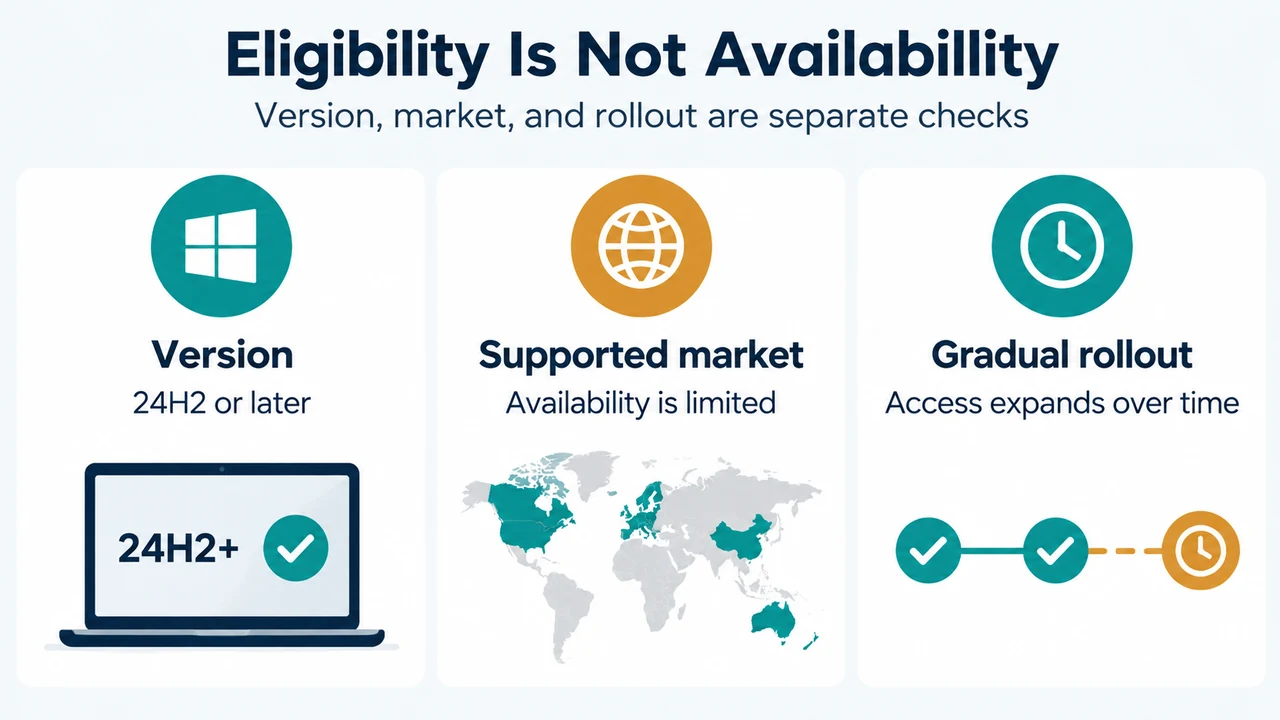
Xbox mode is available only on Windows 11 version 24H2 or later, and Microsoft says it is limited to supported markets. The feature is rolling out gradually to Windows 11 PCs, including laptops, desktops, and tablets, while Microsoft also documents Xbox mode settings for gaming handhelds. Therefore, a compatible Windows version does not by itself guarantee that the feature is available on every device or in every location.
What Xbox mode is—and what this guide can establish
Microsoft describes Xbox mode as a controller-optimized, full-screen gaming experience. It starts a gaming home app as a launcher, displays games and apps full screen where possible, and provides entry points through Game Bar and Task View.
This guide covers the documented eligibility conditions and controls in Microsoft’s Windows 11 documentation. It does not claim a performance improvement, universal availability, or a specific rollout date for an individual PC.
Documented eligibility and rollout scope
- Windows version: Windows 11 version 24H2 or later. Microsoft’s support page applies to Windows 11 24H2 and 25H2, all editions.
- Market: Xbox mode is available only in supported markets.
- Form factors: Xbox Wire says the rollout includes PCs such as laptops, desktops, and tablets. Microsoft separately documents Xbox mode settings for gaming handhelds.
- Rollout state: Xbox Wire says the PC rollout began in select markets and would expand to more players in those markets over the following weeks.
Microsoft’s public excerpts supplied for this article do not identify every supported market or provide a device-by-device availability checker. The safest conclusion is that version eligibility is necessary, but availability still depends on Microsoft’s supported-market and rollout scope.
How to check the documented settings
On a gaming handheld
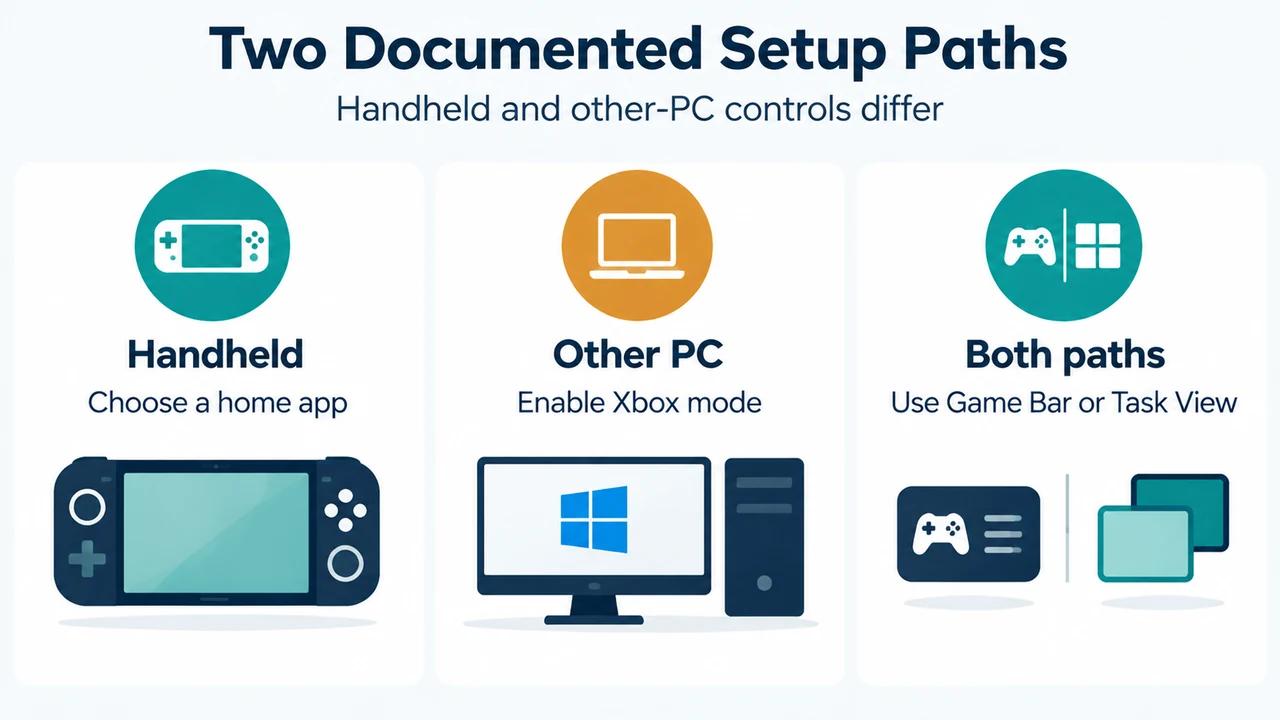
Open Start > Settings > Gaming > Xbox mode. Microsoft says you can select a supported gaming home app installed on the device. Selecting None turns off Xbox mode. An optional setting, Enter Xbox mode on startup, can start Xbox mode automatically after sign-in.
On other PC form factors
Open Start > Settings > Gaming > Xbox mode and turn on Enable Xbox mode. Microsoft also documents an optional Show Xbox mode in Task View setting, which adds an entry point there.
These settings describe Microsoft’s documented configuration paths. They do not prove that the feature has reached a particular PC, because Microsoft also limits Xbox mode to supported markets and is using a gradual rollout.
Supported ways to enter Xbox mode
When Xbox mode is enabled, Microsoft lists these entry points:
- Open Game Bar with Win + G or the Xbox button, then use Settings.
- Open Task View with Win + Tab or the taskbar icon.
- Press Win + F11.
- On a gaming handheld, sign in while Enter Xbox mode on startup is enabled.
Xbox Wire also says the experience provides access to an aggregated game library, including the Xbox Game Pass catalog and installed games from leading PC storefronts. The supplied sources do not define every storefront or every app that will appear.
How to return to the Windows desktop
Microsoft documents three exit options:
- Use Game Bar settings to return to the desktop.
- Use Task View to return to the desktop.
- Press Win + F11.
On touch-enabled devices, swiping up from the bottom of the screen also opens Task View. On gaming handhelds with startup entry enabled, Microsoft says you may be asked whether to restart when re-entering Xbox mode after using the desktop. You can restart to use the documented optimization behavior or continue to Xbox mode without restarting.
Important limits inside Xbox mode
Xbox mode does not behave exactly like the Windows desktop. Microsoft documents that only one window is displayed at a time, apps are full screen when possible, and an app that opens multiple windows may show only its most recent window. Apps that do not support full screen can appear on a black background. Window controls such as minimize and maximize do not change window state, and some desktop keyboard shortcuts are disabled.
To switch between open apps and games, Microsoft says to open Task View. On a controller, you can use the left stick or LB/RB buttons to move between items, then press A to bring one forward or X to close it. These controls describe navigation; they are not a guarantee that every application supports identical behavior.
Bottom line
Your PC meets Microsoft’s documented version requirement if it runs Windows 11 24H2 or later, but that is only the first check. Xbox mode also depends on supported-market availability and Microsoft’s gradual rollout. If the feature is available and enabled, use Game Bar, Task View, or Win + F11 to enter it, and the same documented controls or Win + F11 to return to the desktop. The supplied evidence does not support a claim of universal availability or a measured performance gain.
Research method and limitations
This article was prepared from the supplied public Microsoft Support and Xbox Wire excerpts, retrieved on September 19, 2026 UTC. The Microsoft Support excerpt is scoped to Windows 11 24H2 and 25H2, all editions; Xbox Wire describes a gradual rollout beginning in select markets. The supplied competing article was truncated and was used only to compare coverage, not as technical authority. No hands-on testing, lab measurement, benchmark, or comprehensive market-availability review was performed.
Text version of the diagrams
- Eligibility Is Not Availability: Version — 24H2 or later; Supported market — Availability is limited; Gradual rollout — Access expands over time
- Two Documented Setup Paths: Handheld — Choose a home app; Other PC — Enable Xbox mode; Both paths — Use Game Bar or Task View