Short answer: Windows 11 DNS over HTTPS (DoH) encrypts DNS queries between your PC and the DNS resolver. That helps prevent observers on the local network or path from reading or altering those DNS messages. It does not hide all browsing activity, make the resolver unable to see queries, or replace HTTPS, a VPN, or endpoint security.
What DNS normally does
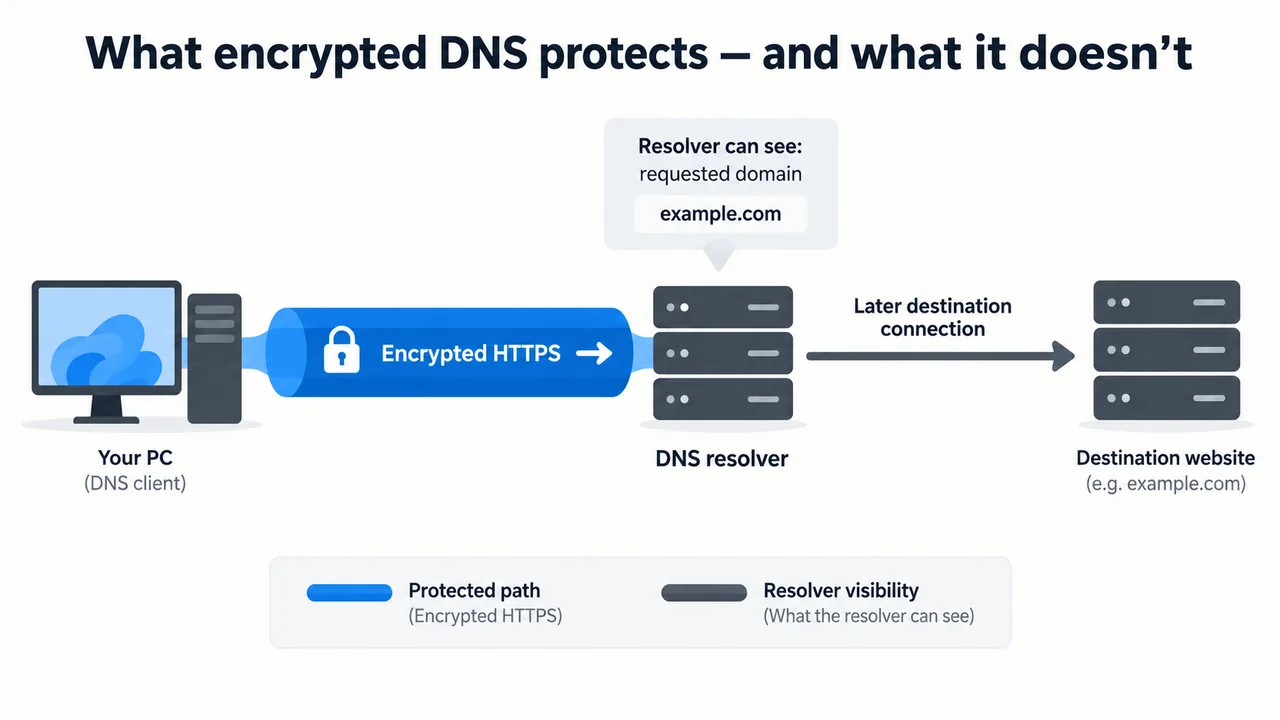
When an application needs to connect to example.com, it usually asks a DNS resolver for the address associated with that name. Traditional DNS sends those queries without encryption. The resolver can therefore receive the requested domain name, while a network observer may be able to inspect or manipulate the traffic in transit.
What DoH changes
DoH carries DNS messages inside HTTPS. The protocol is specified in RFC 8484. Microsoft describes Windows 11 as supporting encrypted DNS and says the feature is intended to protect name queries from on-path attackers.
In practical terms, DoH protects the connection between the Windows DNS client and the selected DoH resolver. It provides confidentiality and integrity for that leg of the journey; it does not make the query anonymous to the resolver that receives it.
What DoH does not hide
- The resolver’s view: the DNS provider still needs to process the query and may retain data according to its own policy.
- The destination connection: DoH does not hide the IP address your computer connects to after DNS resolution.
- Application activity: browsers, apps, operating systems, routers, and security tools may create other records or telemetry.
- Content from a compromised device: DoH cannot protect credentials, browser history, or files from malware already running on the PC.
Why Windows 11’s fallback setting matters
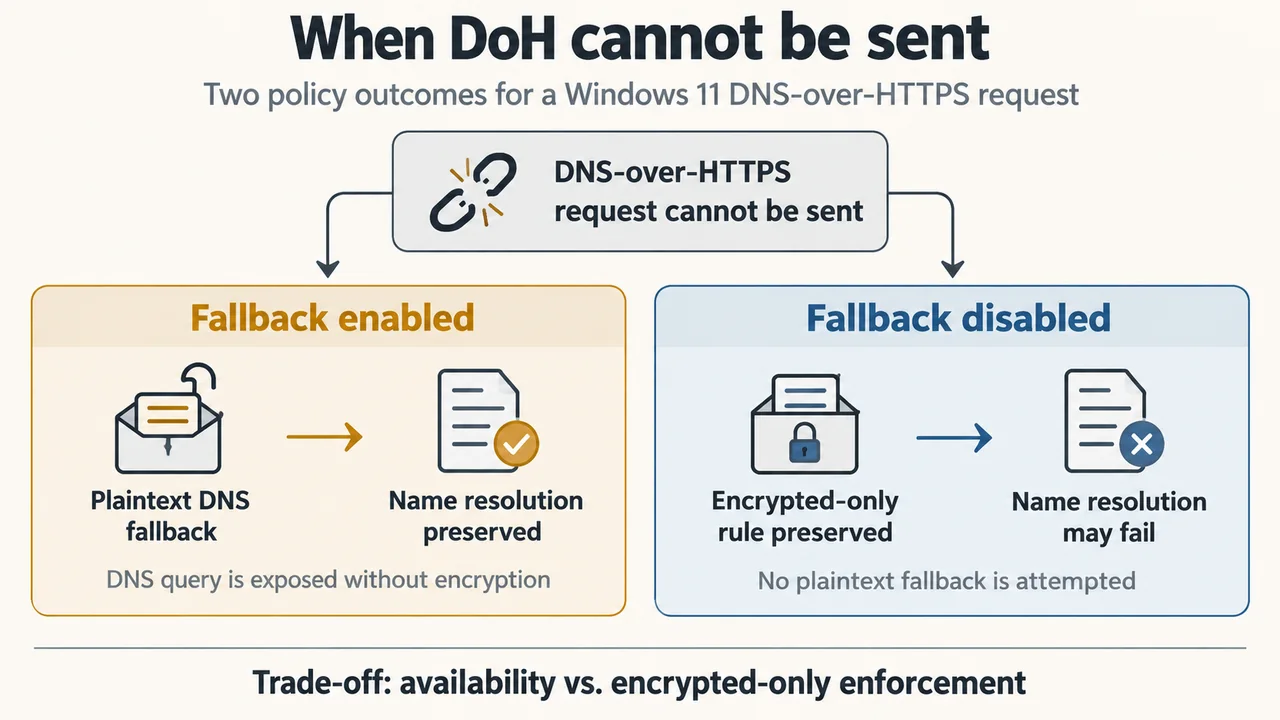
Microsoft’s current Windows networking documentation describes three relevant choices: DNS over HTTPS off, an automatic template, and a manual template. With DoH enabled, Windows also lets you control whether it may fall back to unencrypted DNS when an encrypted query cannot be sent.
If fallback to plaintext is enabled, a failed DoH attempt may result in an unencrypted query. That can preserve connectivity, but it weakens the privacy guarantee. If fallback is disabled, Windows will not send that query in plaintext; the trade-off is that name resolution may fail until the encrypted path works again.
These settings affect DNS transport, not the privacy policy of the resolver. Read Microsoft’s official Windows network settings documentation before changing them, especially on managed work or school networks.
When DoH is useful
DoH is most useful when you want to reduce exposure of DNS lookups on untrusted Wi-Fi or other networks where DNS inspection or tampering is a concern. It can also provide a consistent encrypted connection to a resolver for applications that use the Windows DNS client.
It is not a guarantee of private browsing. Use HTTPS for application traffic, keep Windows and applications updated, and choose a DNS provider whose privacy and filtering policies fit your needs. On managed networks, local policies or security controls may intentionally determine which resolver and encryption mode are allowed.
Bottom line
Think of Windows 11 DoH as protection for one network leg: the DNS question travelling from your PC to its resolver. It is valuable, but narrow. Check the fallback choice, understand who operates the resolver, and do not treat the setting as a substitute for HTTPS, a VPN, or malware protection.
Research-based explainer. Reviewed against Microsoft’s current support documentation and RFC 8484 on 14 September 2026.