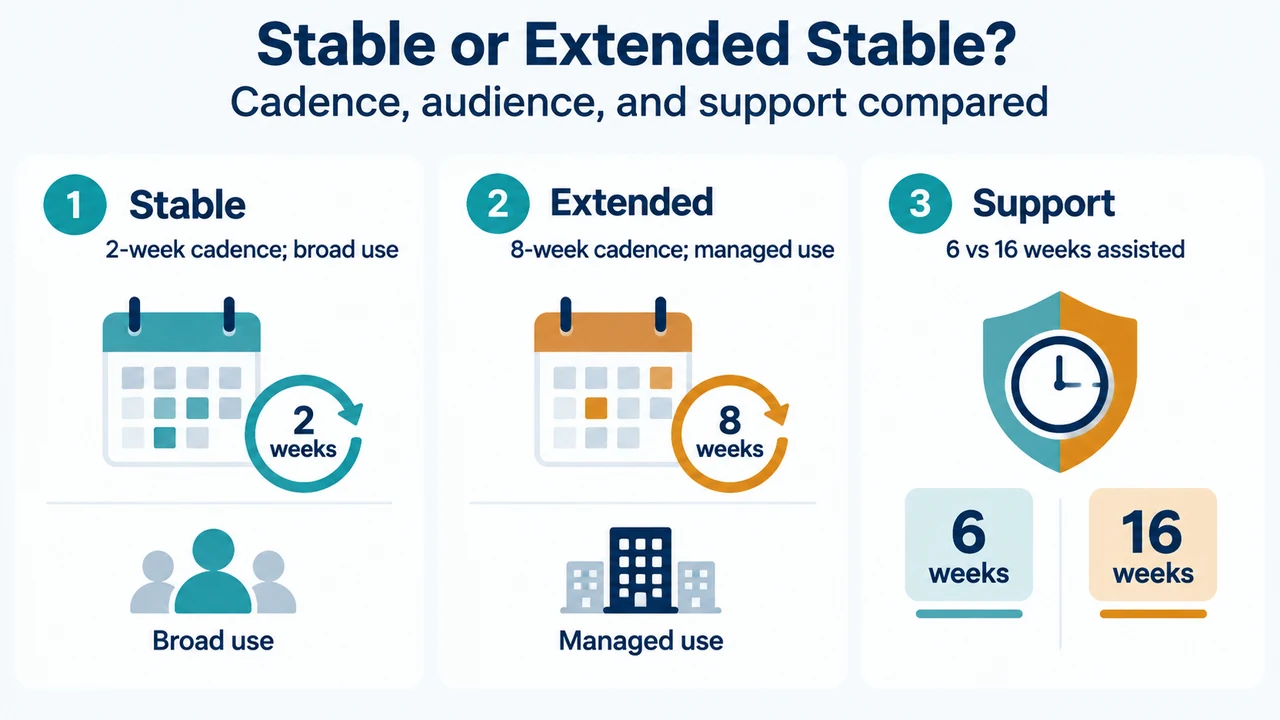
Microsoft Edge Stable and Extended Stable serve different update needs. Stable is intended for broad deployment and receives major updates about every two weeks. Extended Stable is an enterprise release option for managed environments that need more time to test browser changes; its major feature cadence is about eight weeks.
Microsoft generally recommends the two-week Stable cadence. Extended Stable is for organizations that need a longer validation period and can manage Edge through supported administrative controls. It is not a universal user-facing toggle.
Stable and Extended Stable compared
| Channel | Documented purpose | Major feature cadence | Support coverage |
|---|---|---|---|
| Stable | Broad deployment; the channel most users should use | About every two weeks | Current release and the two previous Stable releases; approximately six weeks of assisted support |
| Extended Stable | Managed environments that need additional testing and validation time | About every eight weeks; feature updates arrive every fourth Stable release | Current and one previous Extended Stable release; approximately 16 weeks of assisted support |
Microsoft’s lifecycle documentation says security and servicing updates are available only on the latest Stable and latest Beta releases. It describes Extended Stable as receiving security and critical fixes as needed between feature releases. These statements describe the documented channel model and do not promise full servicing for every older build.
When Stable is the better fit
Choose Stable for normal personal use or broad organizational deployment when the organization can validate browser changes on roughly a two-week cycle. Microsoft describes Stable as the channel intended for broad deployment and says most users should be on it.
Stable also provides new feature releases more often than Extended Stable. That can suit organizations that prefer a shorter interval between feature updates and can complete validation more frequently.
When Extended Stable is the better fit
Extended Stable is designed for an organization that needs more time to test and validate a new browser version before broad deployment. Microsoft says an organization starting on Extended Stable version 152 would receive later feature updates with versions 156, 160, and so on.
The slower feature cadence does not mean that Extended Stable receives no intervening maintenance. Microsoft says security and critical fixes are delivered as needed between feature releases. The documented assisted-support window is approximately 16 weeks for an Extended Stable release, compared with approximately six weeks for a Stable release.
How to identify the installed channel
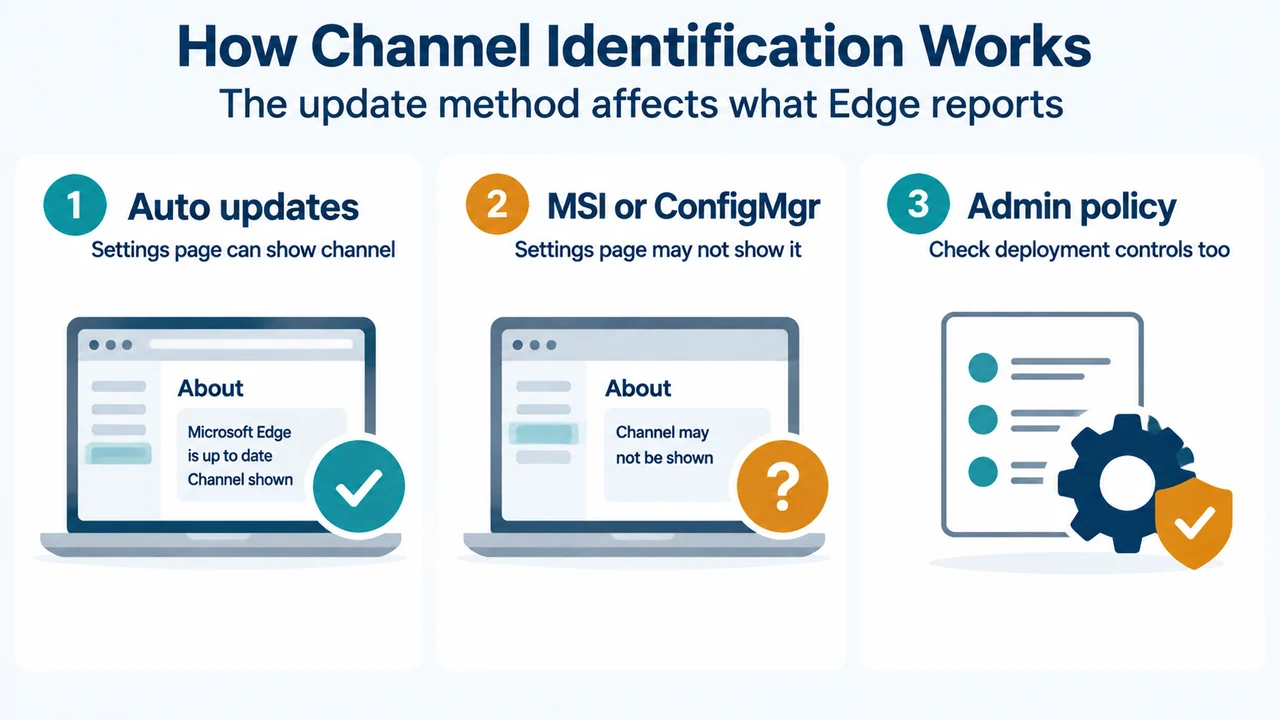
Open edge://settings/help and check the version string. Microsoft documents this page as indicating when a different channel is in use. The page may not identify Extended Stable when the update was installed through Configuration Manager or an MSI package. The result is therefore not universal.
On a managed Windows device, also identify the update-management method and applicable policy. The version string alone may not establish the channel in the Configuration Manager or MSI cases described by Microsoft.
What changing to Extended Stable involves
Microsoft documents Extended Stable as an administrative deployment choice. With automatic updates, an administrator can use the Target Channel override policy and choose Extended Stable. This policy is supported only on Windows devices joined to a Microsoft Active Directory domain.
The change takes effect when a newer Extended Stable update becomes available. Microsoft says Edge does not downgrade itself by default. If the installed Stable version is newer than the latest Extended Stable release, the device will not receive feature updates until the next Extended Stable release becomes available; security and quality updates continue as applicable.
Microsoft also documents deployment of a specific Extended Stable version as an MSI with rollback enabled. The supplied excerpts do not provide the complete rollback procedure, so this article does not present that reference as switching instructions.
A practical decision
Use Stable if you are a personal user, need the channel Microsoft describes for most users, or do not manage Edge through an organizational deployment system. Consider Extended Stable only when you administer a managed environment and the extra testing time is worth receiving feature updates less often.
Before deciding, check edge://settings/help, identify whether an administrator controls updates, and confirm whether your organization can test browser changes. If the device is already on a newer Stable build, do not assume that choosing Extended Stable immediately installs an older build: Microsoft explicitly documents that Edge does not downgrade itself by default.
Research method and limitations
This guide was prepared from the supplied public Microsoft Learn excerpts retrieved on September 19, 2026, plus one supplied competitor excerpt used only to compare coverage. The release-notes and channel excerpts are truncated, and some pages report authorization boundaries, so this guide uses only visible statements. It makes no hands-on, lab, benchmark, or comprehensive-review claim. The competitor excerpt concerns a separate web-app freezing issue and does not establish channel policy or support claims.
Text version of the diagrams
- Stable or Extended Stable?: Stable — 2-week cadence; broad use; Extended — 8-week cadence; managed use; Support — 6 vs 16 weeks assisted
- How Channel Identification Works: Auto updates — Settings page can show channel; MSI or ConfigMgr — Settings page may not show it; Admin policy — Check deployment controls too