Scope: This article covers Microsoft 365 Apps devices configured for Semi-Annual Enterprise Channel and updated to Version 2606 or later. It does not describe consumer Microsoft 365 plans, preview channels, or every possible deployment configuration.
Microsoft says devices configured for Semi-Annual Enterprise Channel receive the Version 2606 update through the existing update process. After Version 2606 or later is installed, Microsoft 365 Apps can show Monthly Enterprise Channel in the app, including Word or Excel under File > Account. This display change does not by itself mean that the apps were uninstalled, reinstalled, or that administrators must migrate their policies.
What changed in Version 2606
Microsoft’s channel-unification guidance says affected Semi-Annual Enterprise Channel devices receive the same feature and security updates as Monthly Enterprise Channel devices beginning with Version 2606. Existing Microsoft 365 Apps continue to update through the configured management process, and Microsoft says users are not expected to experience workflow changes because of the change.
The first update can be larger than a typical monthly update. Microsoft gives an example of roughly 1.6 GB when updating from Version 2508 to Version 2606. The size depends on the device’s current build, so this example is not a promise about every download.
Why the app and reports can disagree
After Version 2606 or later is installed, the Microsoft 365 Apps experience can show Monthly Enterprise Channel. Some management tools, reports, dashboards, or automation may still show Semi-Annual Enterprise Channel, depending on how they identify or refresh channel data.
That means a mismatch between File > Account and an administrative report is a documented reporting possibility. It is not, by itself, evidence that the update failed. Microsoft specifically advises organizations to account for devices reporting as Monthly Enterprise Channel after the update when they maintain reporting, automation, dashboards, or compliance processes that reference Semi-Annual Enterprise Channel.
How to verify the installed channel and build
- Open a Microsoft 365 app such as Word.
- Go to File > Account.
- Check the channel name in the Product Information section under About.
- Record the displayed version and build, then compare it with Microsoft’s update history for the relevant channel.
Microsoft’s update history lists Version 2606 for Semi-Annual Enterprise Channel as build 20131.20258 in the September 8, 2026 table entry. The same table lists Monthly Enterprise Channel Version 2606 as build 20131.20260. Microsoft also states in the unification guidance that builds higher than 20131.20000 indicate that Version 2606 has been successfully installed. These are source-dated reference points; the update-history page can later list newer builds.
What administrators should review
Existing update management
No channel migration, reinstallation, or policy migration is required for the July update to apply to affected devices. Microsoft says existing supported update policies and configurations continue to be respected. The documented management options include Microsoft Intune, Configuration Manager, Group Policy, the Office Deployment Tool, and other supported update solutions.
Reporting and automation
Review reports and automation that use the label Semi-Annual Enterprise Channel. After Version 2606, some devices may be labeled Monthly Enterprise Channel in the app while older labels remain in management data. The required review is therefore about how your tools identify and refresh channel information, not about assuming that every tool will display the same label at the same time.
Cloud Update
Microsoft documents an additional boundary for tenants that use Cloud Update for Monthly Enterprise Channel. Eligible devices may automatically start onboarding for Cloud Update after the transition. Existing Cloud Update settings continue to apply, including update profiles, rollout waves, exclusion windows, pause, rollback, and device exclusions.
If particular devices should not be managed through Cloud Update, Microsoft points to existing Cloud Update controls such as exclusion groups or changes to update-profile configuration. This guidance applies only where the tenant uses Cloud Update for Monthly Enterprise Channel; it is not a universal rule for every management setup.
Do you need to move devices manually?
For devices already configured for Semi-Annual Enterprise Channel, Microsoft says no manual migration is required for the Version 2606 update. Organizations can still move devices to Monthly Enterprise Channel before the July update if they are ready, using an existing supported management process.
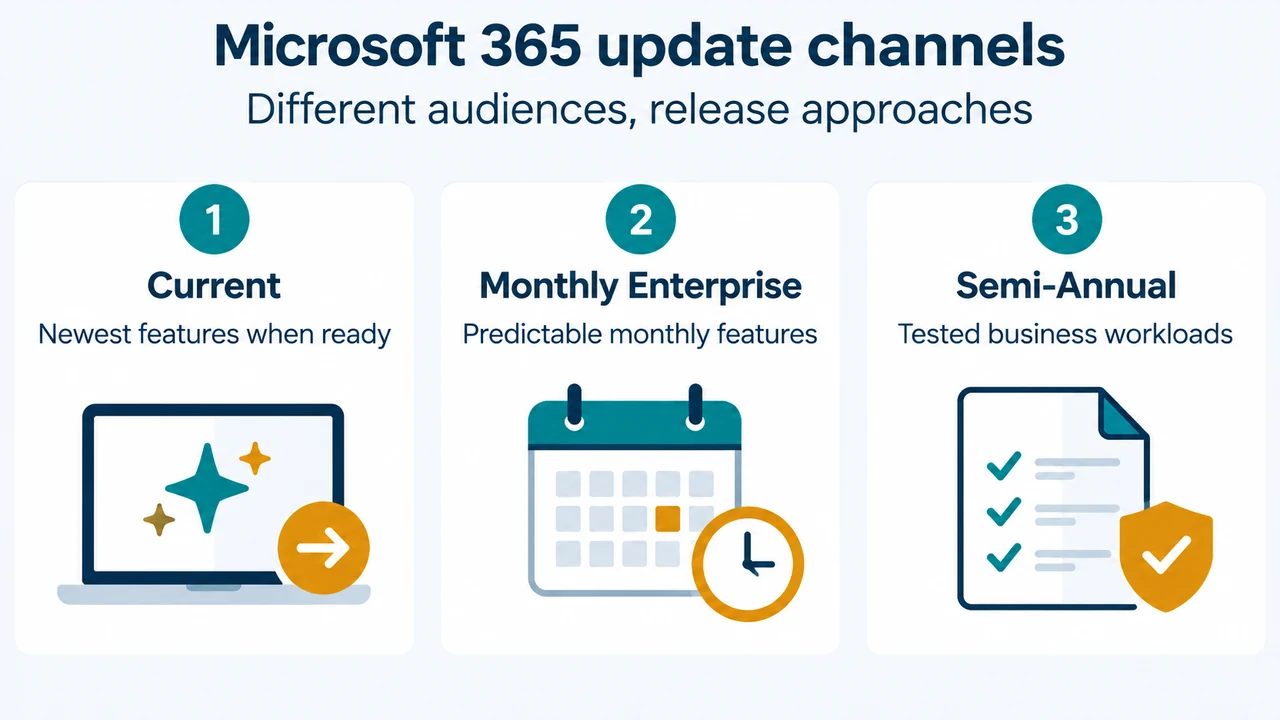
A separate channel change is an administrative decision. Microsoft’s channel overview says Current Channel is intended for the newest features as they become ready, Monthly Enterprise Channel provides predictable monthly feature releases, and Semi-Annual Enterprise Channel is intended for non-interactive devices or specialized and business-critical workloads that need extensive testing before new features are implemented. The July unification evidence does not establish that every organization should choose one of these channels, so the choice remains dependent on the organization’s requirements.
Two proposed illustrations
Proposed illustration 1 — Channel decision comparison: A three-column comparison of Current Channel, Monthly Enterprise Channel, and Semi-Annual Enterprise Channel, showing the documented audience and release approach. It should be labeled as a proposed explanatory diagram and should not imply a universal recommendation.
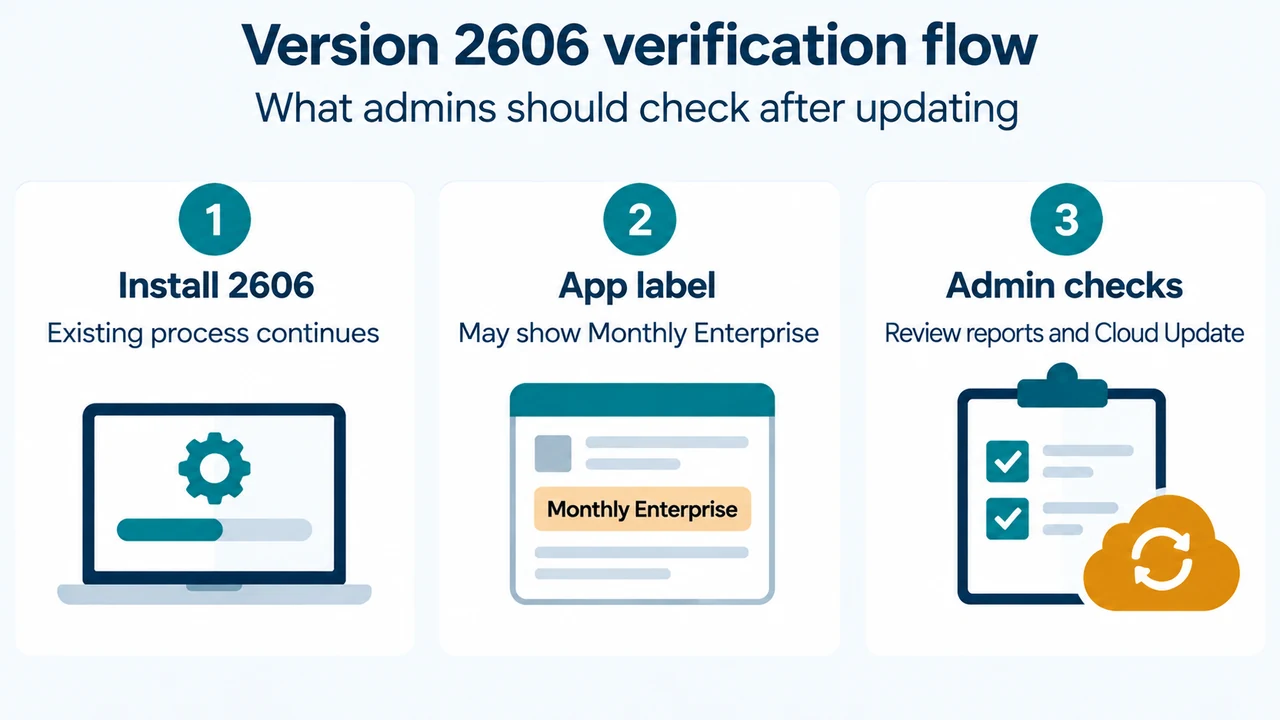
Proposed illustration 2 — Version 2606 verification timeline: A timeline showing the documented sequence: Semi-Annual Enterprise Channel device receives Version 2606 through its existing process; the app may then display Monthly Enterprise Channel; reports or management tools may retain the older label; administrators review reporting and, where applicable, Cloud Update controls. This should be presented as a proposed diagram based only on Microsoft’s documented sequence, not as a promise about timing for every device.
Research method and limitations
This article was prepared from the supplied public Microsoft documentation excerpts retrieved on September 19, 2026, plus the supplied competitor excerpts used only to review coverage. The Microsoft passages were truncated and one page indicated that access required authorization, so this article limits claims to the visible excerpts. It makes no hands-on, lab, benchmark, or comprehensive-review claim. Check the linked Microsoft pages and your organization’s current management data before changing a deployment policy.
Text version of the diagrams
- Microsoft 365 update channels: Current — Newest features when ready; Monthly Enterprise — Predictable monthly features; Semi-Annual — Tested business workloads
- Version 2606 verification flow: Install 2606 — Existing process continues; App label — May show Monthly Enterprise; Admin checks — Review reports and Cloud Update
Sources
- Microsoft: Upcoming channel unification: Semi-Annual Enterprise Channel to Monthly Enterprise Channel
- Microsoft: Overview of update channels for Microsoft 365 Apps
- Microsoft: Change the Microsoft 365 Apps update channel for devices in your organization
- Microsoft: Update history for Microsoft 365 Apps