Microsoft documented a specific Classic Outlook for Microsoft 365 issue after Windows updates on January 13, 2026. It affects profiles with POP accounts or PST files, including profiles with PSTs stored on OneDrive. Reported symptoms include Outlook showing “Not Responding,” failing to exit, missing messages in Sent Items despite being sent, and downloading email again.
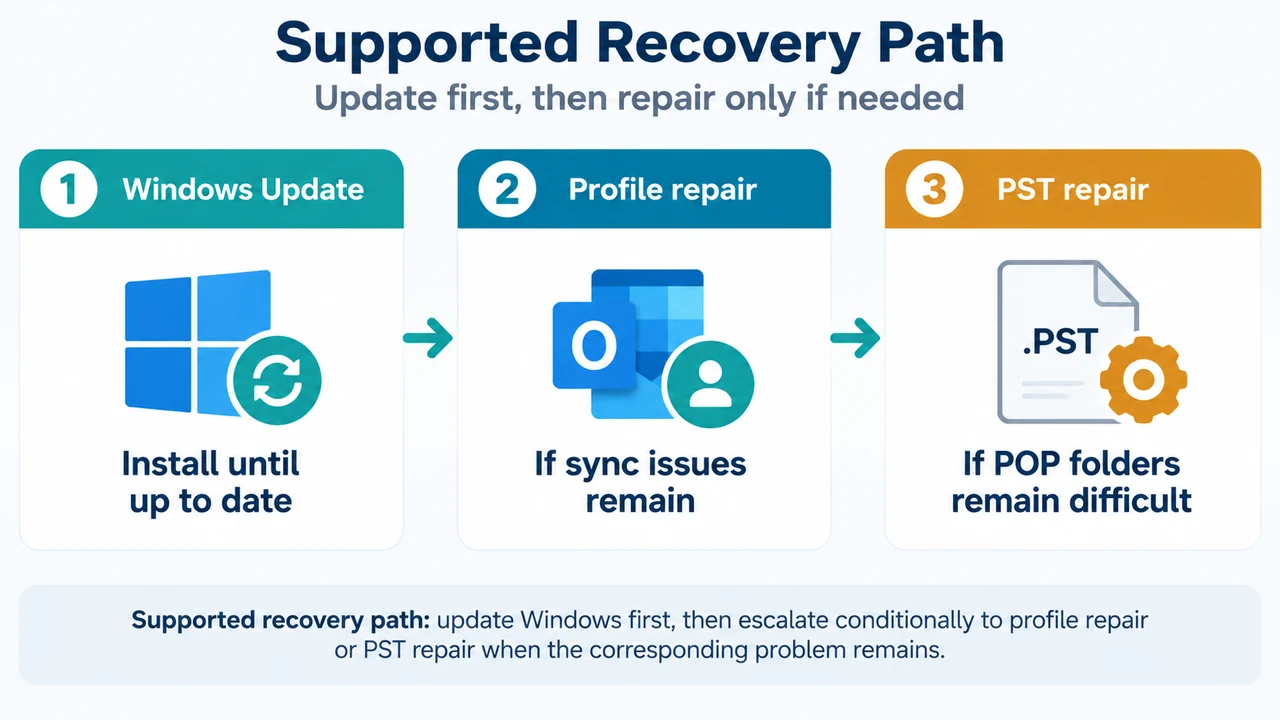
Microsoft marks the issue Fixed. Run Windows Update until it shows “You’re up to date,” installing updates and restarting as requested. If sync issues remain, repair the POP Outlook profile using Microsoft’s profile-repair guidance. If access to POP account folders remains difficult, use Microsoft’s Scanpst.exe guidance to repair the PST.
What this issue covers
This article is limited to Classic Outlook for Microsoft 365 and the Windows scope in Microsoft’s notice: Windows 11 versions 25H2, 24H2, and 23H2; Windows 10 version 22H2; Windows 10 Enterprise LTSC 2021 and 2019; Windows Server 2025; Windows Server version 23H2; Windows Server 2022; and Windows Server 2019.
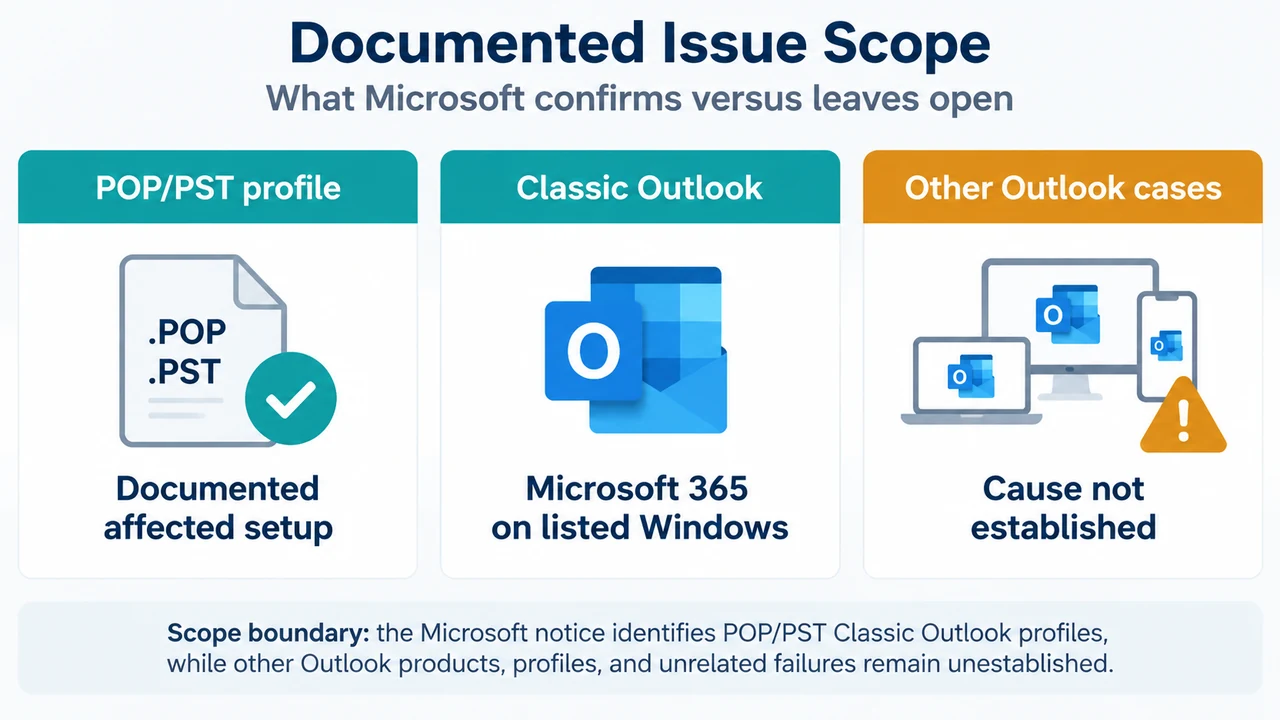
The documented configuration involves an Outlook profile with a POP account, a profile containing PST files, or a profile with PSTs stored on OneDrive. The notice does not establish that every Outlook profile or every freeze has this cause.
Check whether the symptoms match
Look for the January 13, 2026 Windows-update timing together with a documented POP or PST configuration. Microsoft reports these symptoms:
- Classic Outlook hangs and shows “Not Responding.”
- Outlook does not exit properly.
- Outlook cannot be reopened without ending its process in Task Manager or restarting the computer.
- Emails do not appear in Sent Items even though they were sent.
- Outlook downloads emails again.
These signs match the documented issue only within the stated Windows, Classic Outlook, and POP/PST scope. The evidence does not establish the cause of other startup, synchronization, or freeze problems.
Supported recovery path
1. Install Windows updates until the device is up to date
Microsoft says Windows fixed the issue. Right-click the Windows Start button and select Settings, then Windows Update. On Windows 10, select Update & Security. Install available updates and restart as requested. Repeat until Windows Update shows “You’re up to date.”
2. Repair the profile if sync issues remain
After installing the update, use Microsoft’s “Fix your Outlook email connection by repairing your profile” guidance if synchronization problems remain. Microsoft gives this as a conditional path for remaining sync issues, not as a required step for every affected profile.
3. Repair the PST if POP-folder access remains difficult
If you still have problems accessing POP account folders, use Microsoft’s Scanpst.exe guidance, “How to repair personal folder file (.pst).” This is a separate PST-repair path after the Windows update.
Earlier workarounds
Before the fix was available, Microsoft advised using webmail, where the email provider supports it. Microsoft also listed moving PSTs out of OneDrive and linked to guidance for removing an Outlook PST data file from OneDrive. Because the issue is now marked fixed, these are documented workarounds for the earlier unfixed state, not required steps for every current profile.
What this evidence does not prove
- It does not show that New Outlook is affected.
- It does not show that every Outlook startup failure after January 13, 2026 has the same cause.
- It does not establish a universal OneDrive rule for all PST files or Outlook profiles.
- It does not provide a separate fix for Outlook 2024 or other products not named in the Microsoft excerpt.
Research method and limitations
This guide was prepared from the supplied public Microsoft known-issue excerpt and the supplied competing PCWorld excerpt for coverage comparison. The Microsoft excerpt identifies the affected configuration, platforms, symptoms, fixed status, recovery directions, and workarounds. The PCWorld excerpt is truncated, so it was not used as authority for unseen text or technical claims. No hands-on test, lab test, benchmark, or comprehensive review was performed. Competing coverage beyond the supplied excerpts was unavailable.
Text version of the diagrams
- Documented Issue Scope: POP/PST profile — Documented affected setup; Classic Outlook — Microsoft 365 on listed Windows; Other Outlook cases — Cause not established
- Supported Recovery Path: Windows Update — Install until up to date; Profile repair — If sync issues remain; PST repair — If POP folders remain difficult