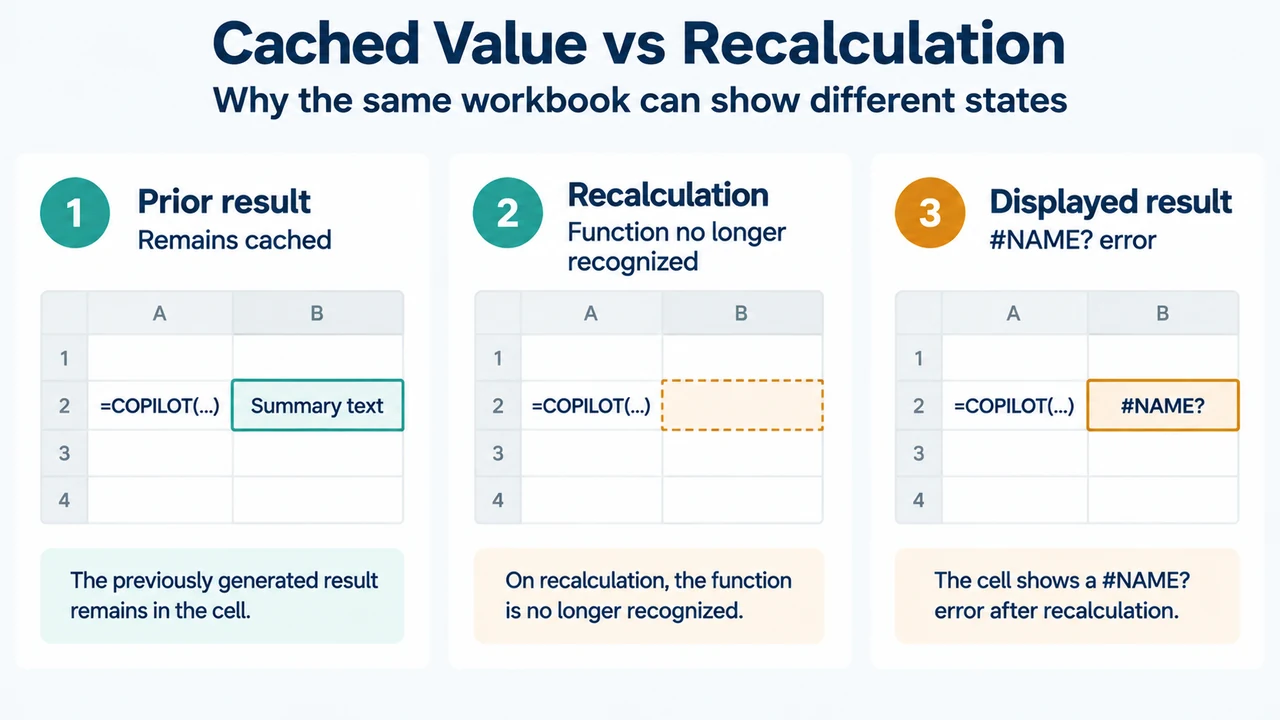
If an existing COPILOT() formula in Excel for Microsoft 365 now shows #NAME?, Microsoft says the preview worksheet function is no longer available as of September 14, 2026. Results that were already calculated remain in the workbook as cached values, but a cell containing the function returns #NAME? when it recalculates.
Microsoft’s documented alternative is Copilot in Excel through the Copilot pane. This article covers that specific retirement and the documented access scope. It does not establish a replacement for numerical calculations.
What changed with the Excel COPILOT() function?
The COPILOT() worksheet function was a preview feature previously available only through Microsoft’s Frontier and Microsoft 365 Insider programs. Microsoft’s current support page says the function is no longer available from September 14, 2026.
The affected scope listed by Microsoft includes Excel for Microsoft 365, Excel for Microsoft 365 for Mac, Excel for the web, and Excel for iPhone. The support page now provides the function information for reference.
Why does the cell show #NAME?
Microsoft states that the function returns #NAME? when a cell containing it recalculates because Excel no longer recognizes the function. The documented behavior is therefore tied to recalculation after the function’s retirement.
Microsoft also states that results calculated before the change remain in the workbook as cached values. That means a previously calculated result and a newly recalculated result can behave differently: the earlier result remains cached, while recalculation of the COPILOT() formula produces the error.
What happens to existing cached results?
Existing results remain as cached values according to Microsoft’s documentation. The supplied documentation does not describe a separate export, recovery, or conversion procedure for turning those cached results into new formulas.
It also does not document how every Excel action, file type, or connected feature may affect those values. Treat the cached-result statement as the stated behavior for workbooks that used the retired function, not as a guarantee about every surrounding workbook feature.
What should you use instead?
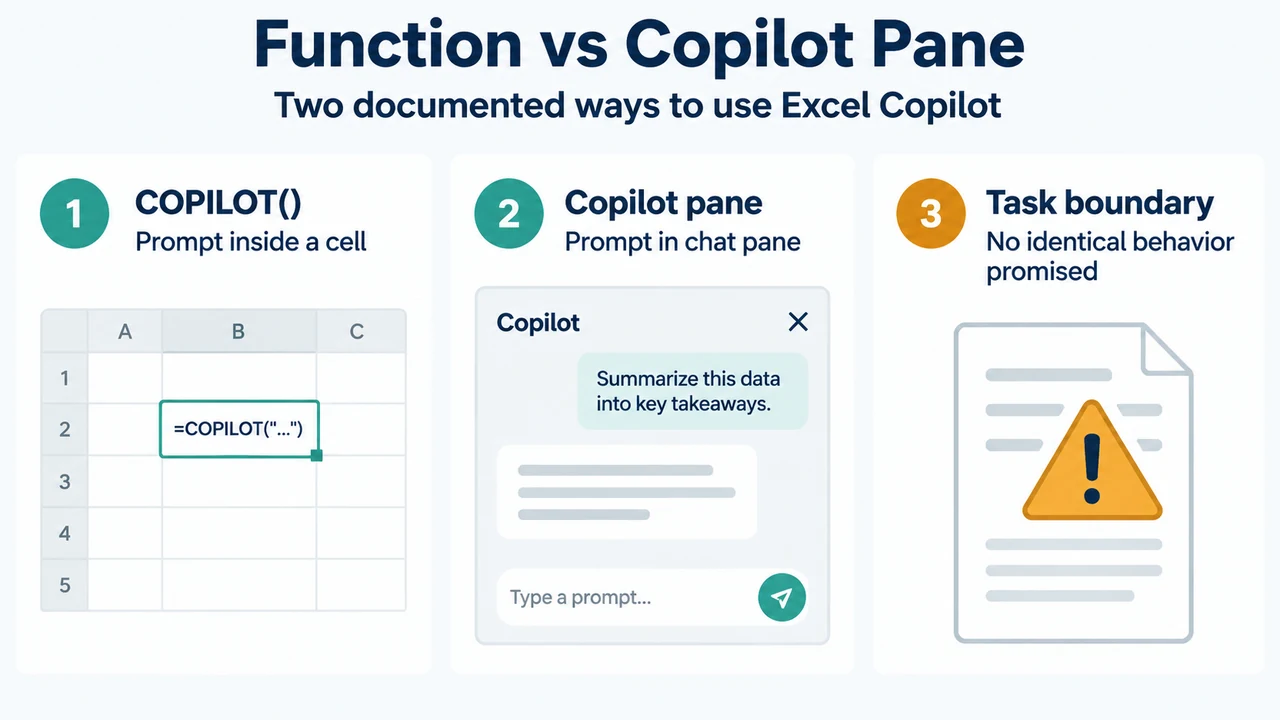
Microsoft directs users to Copilot in Excel. Instead of placing the request inside a worksheet formula, the documented approach is to describe what you want in the Copilot pane.
Microsoft gives these examples of supported task types:
- Summarizing text, such as feedback in a selected range.
- Classifying data, such as sentiment entries and adding a result in a new column.
- Generating content.
- Looking up information from the web, such as upcoming holidays or major events in a location.
These examples show the documented direction of travel from a worksheet function to an interactive pane. They do not establish that the pane reproduces every formula result or supports numerical calculations in the same way.
How do you open Copilot in Excel?
Microsoft says to open Excel and select the Copilot icon or Dynamic Action Button in the corner of the document. The Excel Agent opens in a chat pane on the right, where you can type a prompt, choose a suggested action, or ask a question about the file.
The newer Dynamic Action Button is documented for Excel for Microsoft 365 on Windows, Mac, and the web. Microsoft says the entry point is also used in Word and PowerPoint, but this article concerns Excel.
Keyboard access
Microsoft documents these access methods:
- Windows desktop and web:
Alt + C. - Mac desktop and web:
Command + Control + I. - All platforms:
F6moves focus to the Dynamic Action Button.
Microsoft notes that the simplified shortcuts are rolling out across apps and languages. Until they are available in a particular app or language, it says F6 works everywhere.
What if the Copilot button is missing?
The Dynamic Action Button only appears for users who have access to Copilot. Microsoft lists access through a Microsoft 365 Personal, Family, or Premium subscription, or through a Microsoft Copilot license. Without Copilot access, the button will not appear.
Microsoft identifies licensing, account, update channel, and privacy settings as common causes when the button is missing. The supplied documentation does not provide the full troubleshooting steps for each cause, so this article does not add unverified repair instructions.
Documented boundary: the worksheet function is not the pane
The retired function placed a prompt and grid references directly in a cell. The replacement Microsoft describes is an interactive Copilot experience opened in a chat pane. Microsoft provides examples for summarizing, classification, content generation, and web lookups, but the supplied excerpts do not promise identical behavior for every former formula or every Excel workflow.
For that reason, a #NAME? result should be understood as evidence that the retired function recalculated, not as evidence that the workbook’s underlying data is damaged. The supplied documentation supports the cached-value and recalculation behavior, but it does not describe a general repair or automatic formula migration.
Research method and limitations
This article was prepared from the two supplied Microsoft support excerpts retrieved on September 19, 2026, plus a supplied competitor excerpt used only to compare coverage. The Microsoft passages support the retirement date, cached-result behavior, documented alternatives, platform scope, access requirements, and keyboard entry points. The source excerpts do not provide a complete migration procedure, a conversion tool, or a guarantee that the Copilot pane reproduces every former worksheet result. This is research-based guidance, not a hands-on test, lab result, benchmark, or comprehensive review.
Text version of the diagrams
- Function vs Copilot Pane: COPILOT() — Prompt inside a cell; Copilot pane — Prompt in chat pane; Task boundary — No identical behavior promised
- Cached Value vs Recalculation: Prior result — Remains cached; Recalculation — Function no longer recognized; Displayed result — #NAME? error