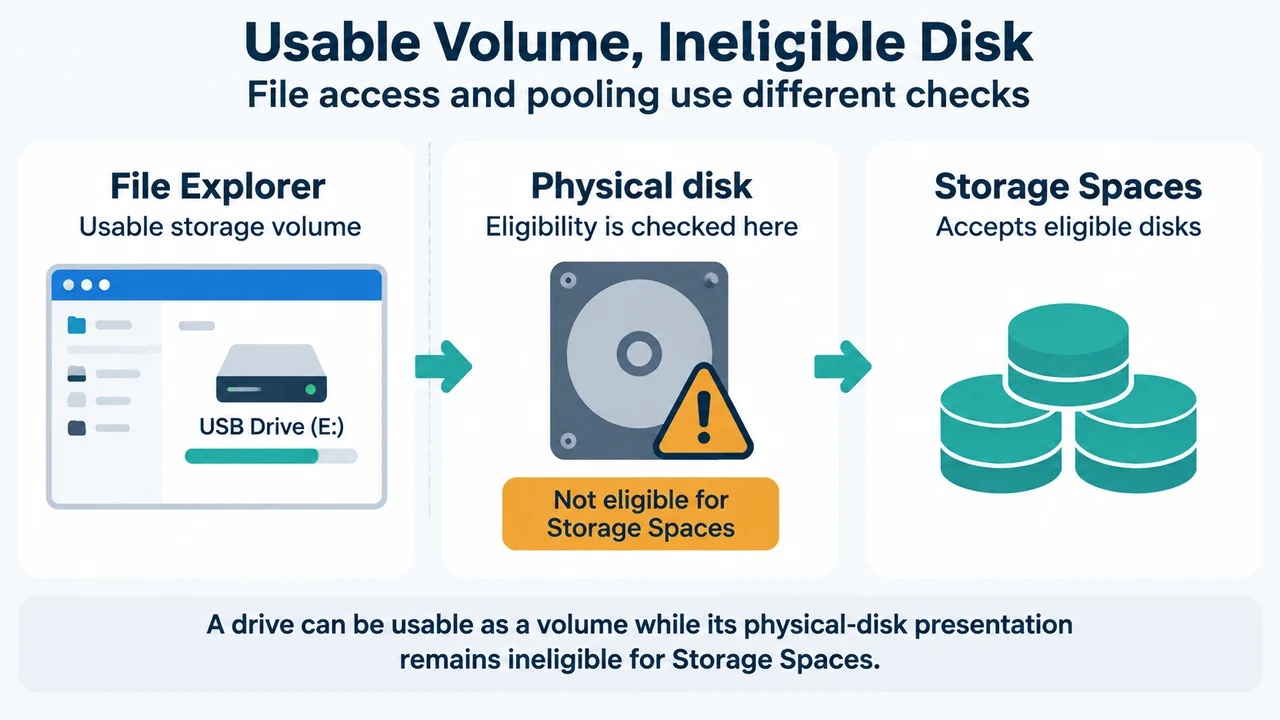
A USB drive can work in File Explorer and still not appear in Windows Storage Spaces. Storage Spaces accepts eligible physical disks, not just usable storage volumes.
This applies to Windows 10 and Windows 11. Begin with read-only checks. Do not format, clear, reset, or remove the disk from a pool while diagnosing the problem.
Why the drive can be missing
Microsoft says an external USB drive can work normally in File Explorer but remain unavailable to Storage Spaces. Some USB enclosures and hubs report drives as removable, hide individual disks, or collapse multiple disks behind one device identity. Storage Spaces excludes those configurations by design.
USB support is not a guarantee that every USB connection is eligible. Microsoft lists USB as a supported drive type, while also documenting enclosure and hub limitations. This is an eligibility boundary, not necessarily a Windows bug.
Check the physical disk
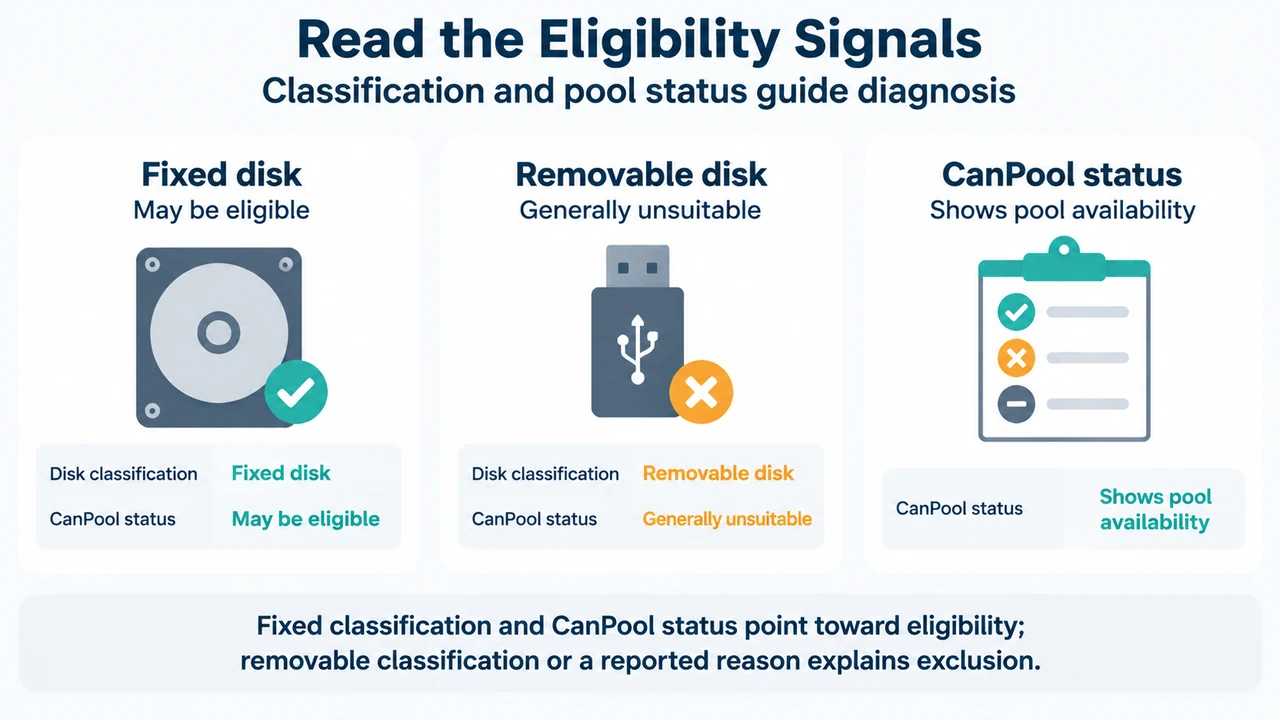
Select the disk itself, not only its volume, in Device Manager or Disk Management. Microsoft says to check whether Windows reports the disk as Fixed or Removable. A volume that opens in File Explorer does not by itself prove that its physical disk is eligible for Storage Spaces.
Microsoft’s Storage Spaces documentation also identifies CannotPoolReason as the property that explains why a physical disk is not eligible. The supplied excerpt shows this diagnostic command:
Get-PhysicalDisk | Format-Table FriendlyName,MediaType,Size,CanPool,CannotPoolReasonThe supplied Get-PhysicalDisk reference documents the cmdlet for Windows Server 2025. The evidence here does not establish that the command is available or behaves identically on every Windows 10 or Windows 11 installation, so treat it as a documented Storage module check rather than a universal client-side fix.
The same reference documents this filter for physical disks available to a storage pool:
Get-PhysicalDisk -CanPool $TrueHow to read the supported results
Windows reports Removable
Microsoft states that media recognized by Windows as removable are generally unsuitable for Storage Spaces. The USB disk may remain usable for ordinary file access while being excluded from pooling. Check the enclosure or hub path, but the supplied evidence does not prove that replacing a particular enclosure will make a specific disk eligible.
The disk is already in a pool
The supplied Storage Spaces states excerpt says a drive can belong to only one storage pool at a time. Do not reset or remove it as a first diagnostic step. Microsoft documents safe pool removal as a process that moves data to other drives before the drive is removed.
CanPool is True
The supplied PowerShell reference defines this value as indicating a physical disk available for use in a storage pool. Compare the physical disk identity with the disk selected in Storage Spaces. The supplied evidence does not document every reason a graphical view might differ.
What not to do first
- Do not format the volume merely because it is absent from Add drives.
- Do not clear or reset a disk that may contain needed data.
- Do not remove a disk from an existing pool without following the documented removal process.
- Do not assume that reinstalling Windows, updating drivers, or changing power settings will change eligibility when the limitation comes from the enclosure or other hardware.
Research method and limits
This answer was prepared from the supplied public Microsoft source excerpts retrieved on September 19, 2026. They cover the Windows 10 and Windows 11 symptom, USB enclosure and hub boundaries, disk classification, and the documented physical-disk properties. The Storage Spaces states passage is truncated, and the supplied Get-PhysicalDisk reference is scoped to Windows Server 2025. No hands-on test or competing coverage was available.
Text version of the diagrams
- Usable Volume, Ineligible Disk: File Explorer — Usable storage volume; Physical disk — Eligibility is checked here; Storage Spaces — Accepts eligible disks
- Read the Eligibility Signals: Fixed disk — May be eligible; Removable disk — Generally unsuitable; CanPool status — Shows pool availability