If Ubuntu 24.04 LTS says “No new release found” while you check for Ubuntu 26.04 LTS, the documented LTS upgrade path may not be enabled yet. Ubuntu says upgrades from an LTS release to the latest LTS become available after the first point release, such as Ubuntu 26.04.1. The Ubuntu 26.04 release notes identify Ubuntu 24.04 LTS as a supported starting point for the LTS transition.
This article covers Ubuntu 24.04 LTS Desktop upgrading to Ubuntu 26.04 LTS. It does not establish the behavior of every Ubuntu flavor, custom repository, or third-party package.
What “No new release found” means
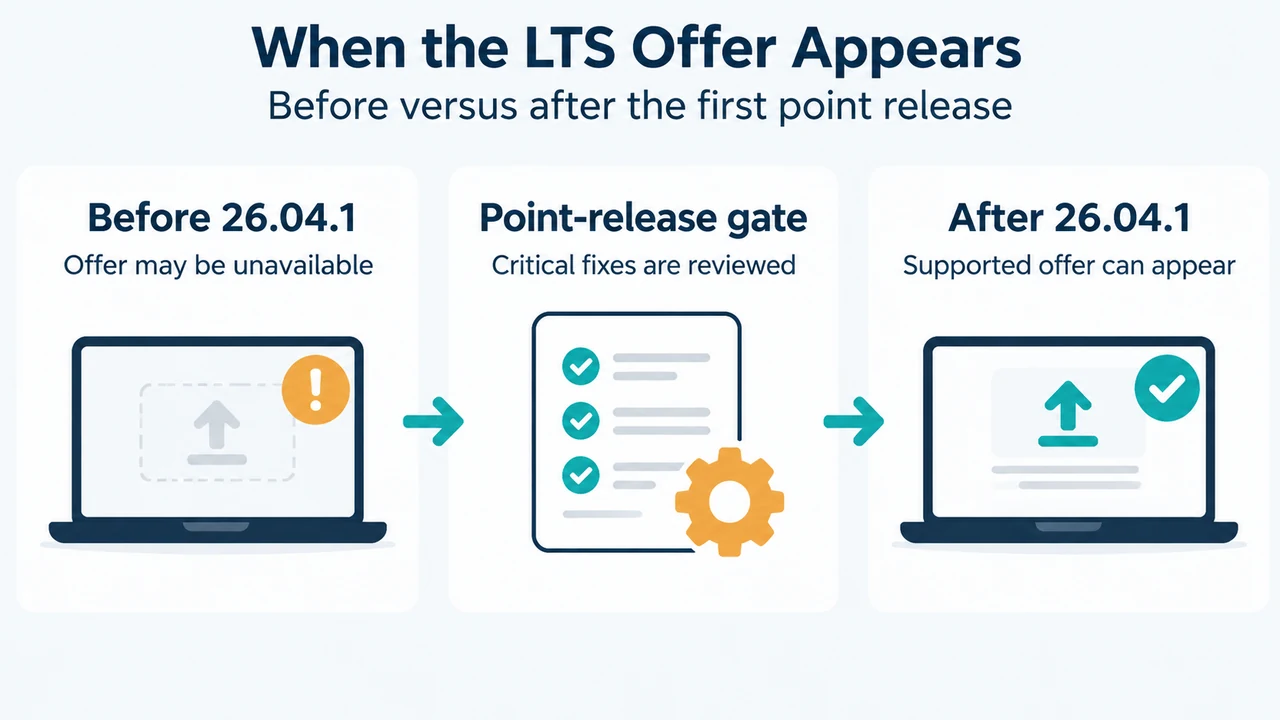
Ubuntu’s upgrade documentation says that an unavailable upgrade can mean the latest release has not been enabled yet. For LTS users, the normal offer is held until the first point release. For Ubuntu 26.04 LTS, that documented example is Ubuntu 26.04.1.
The Ubuntu 26.04 release notes say that users upgrading from Ubuntu 24.04 LTS should read the LTS-to-LTS changes for that transition. They also state that users on older releases, such as Ubuntu 22.04 LTS or Ubuntu 25.04, must first move to Ubuntu 24.04 LTS or Ubuntu 25.10 before proceeding to 26.04 LTS. Ubuntu supports sequential upgrades rather than arbitrary jumps.
Check the supported path before forcing anything
First make sure the current Ubuntu 24.04 installation is fully updated. Ubuntu’s documented preparation commands are:
sudo apt update
sudo apt upgrade
systemctl reboot
The upgrade process is interactive. Ubuntu recommends using Software Updater, which should show an upgrade prompt when the release is available, or running:
sudo do-release-upgradeThese commands change installed packages and can lead to a release upgrade. Back up user data to external storage first, keep a laptop connected to power, and check that enough free disk space is available. Ubuntu says the upgrade needs several gigabytes of temporary space.
What to do when the offer is still missing
If the normal upgrade is unavailable, Ubuntu’s documented guidance is to check again after the point-release gate and look for known issues in the Ubuntu 26.04 release notes. The documentation says the delay allows time for critical bugs to be fixed before all users are prompted.
Ubuntu 26.04.1 includes changes described as “Upgrade bug fixes.” Its release notes specifically list fixes in ubuntu-release-upgrader, including a change that sets the LTS prompt for Resolute. Those notes support checking the point-release documentation, but they do not guarantee that every Ubuntu 24.04 installation will immediately receive an offer.
If you need to inspect the normal upgrade tools, Ubuntu documents these commands:
update-manager
sudo do-release-upgrade
Do not treat a missing offer as permission to skip supported release steps. Ubuntu documents sequential upgrades: one LTS release to the next, or one interim release to the next.
Why not use the development-release option?
Ubuntu documents a --devel-release option for cases where the normal path is not available and the user understands the consequences:
update-manager --devel-release
sudo do-release-upgrade --devel-release
Ubuntu explicitly warns that upgrading to a development release is unsupported and might break the system. That makes it unsuitable as a routine workaround for a production computer. Wait for the supported LTS path instead unless you have a separate, informed reason to run a development release.
Third-party repositories can affect the upgrade
Ubuntu says that packages from Personal Package Archives and third-party repositories can appear in a “Foreign Packages Installed” prompt. If an upgrade fails, its documentation says to remove those packages manually, try the upgrade again, and reinstall updated third-party packages after logging in to the upgraded system.
Ubuntu also says that third-party repositories and PPAs might be disabled during the release upgrade. Afterward, check whether they need to be re-enabled or whether updated versions are available. The supplied documentation does not establish that every repository causes the “No new release found” message, so this should be treated as a post-upgrade check rather than a universal explanation for the symptom.
Supported recovery if the upgrade is interrupted
If the computer loses power during the upgrade, Ubuntu says to try starting it again because the process may resume. If you can log in, its documented recovery commands are:
sudo dpkg --configure -a
sudo apt --fix-broken install
These commands repair unpacked updates and broken dependencies. If you cannot log in or they do not work, Ubuntu recommends seeking help through its support channels. Do not power off the computer deliberately during an active release upgrade.
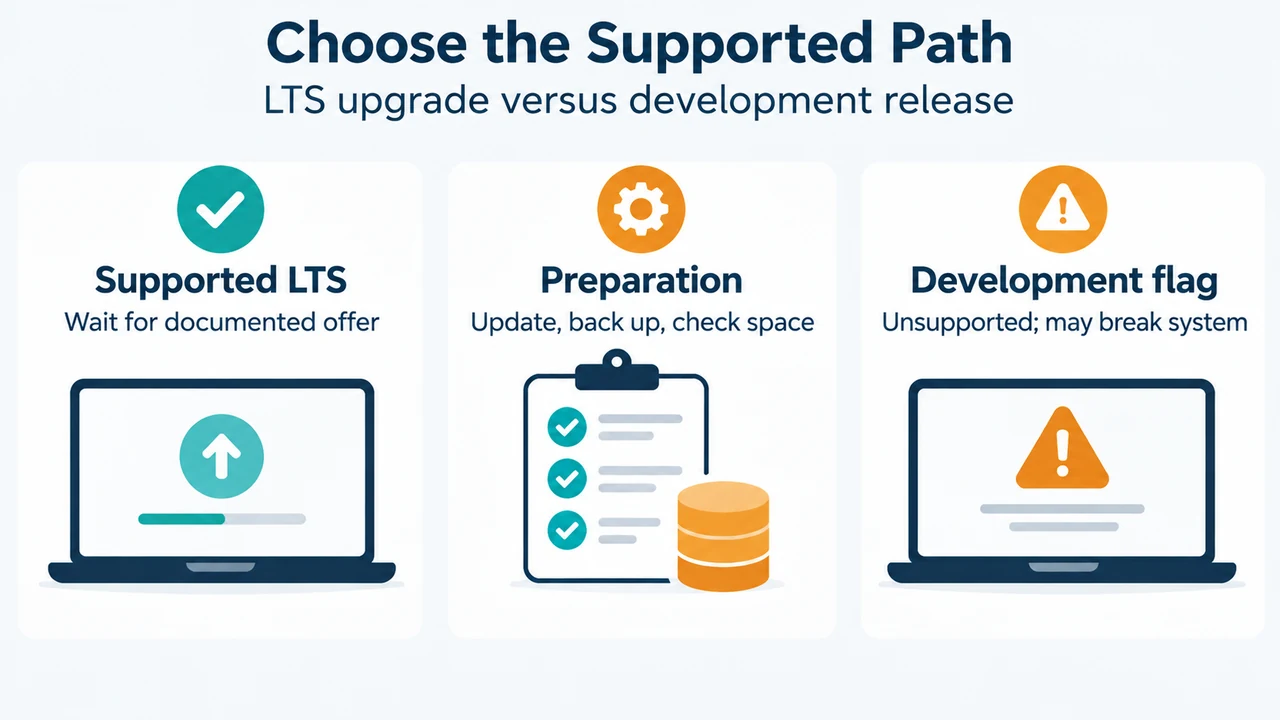
Text version of the diagrams
- When the LTS Offer Appears: Before 26.04.1 — Offer may be unavailable; Point-release gate — Critical fixes are reviewed; After 26.04.1 — Supported offer can appear
- Choose the Supported Path: Supported LTS — Wait for documented offer; Preparation — Update, back up, check space; Development flag — Unsupported; may break system
Bottom line
For Ubuntu 24.04 LTS Desktop, “No new release found” can be expected before Ubuntu 26.04.1 enables the normal LTS upgrade offer. Update the current system, back up user data, check disk space and power, then use the supported interactive upgrade path when it appears. Do not use the development-release flag as a production workaround, and do not assume that a custom repository is the cause without evidence.
Research method and limitations: This article was prepared from the supplied public Ubuntu documentation excerpts retrieved on 20 September 2026: the Ubuntu 24.04 Desktop upgrade guide, the Ubuntu 26.04 release notes, and the Ubuntu 26.04.1 release notes. The 26.04.1 material was supplied as a partial excerpt, so this article uses only its visible statements. No hands-on upgrade, lab test, benchmark, or comprehensive competing-page review was performed. No competing page was available in the supplied evidence.