Public Wi‑Fi networks commonly use a captive portal. The network redirects web traffic to a page where you accept terms, enter credentials, or complete another access step before full Internet access. Microsoft’s captive-portal documentation says Windows can open a web browser when it detects this condition.
This guide covers a Windows 11 device that joins public Wi‑Fi but does not show the hotspot’s sign-in page. It uses the supplied Microsoft captive-portal and Wi‑Fi excerpts for Windows behavior and troubleshooting. The supplied NCSI overview is explicitly labeled for Windows Server editions, so its probe details are presented as documented NCSI behavior, not as direct Windows 11 documentation.
Check whether Wi‑Fi is connected
Select the Network, Sound, or Battery icons on the right side of the taskbar. Check whether the Wi‑Fi network shows Connected. If it does not, select the network and reconnect. Microsoft’s Windows Wi‑Fi guidance also documents turning Wi‑Fi off and on again before reconnecting.
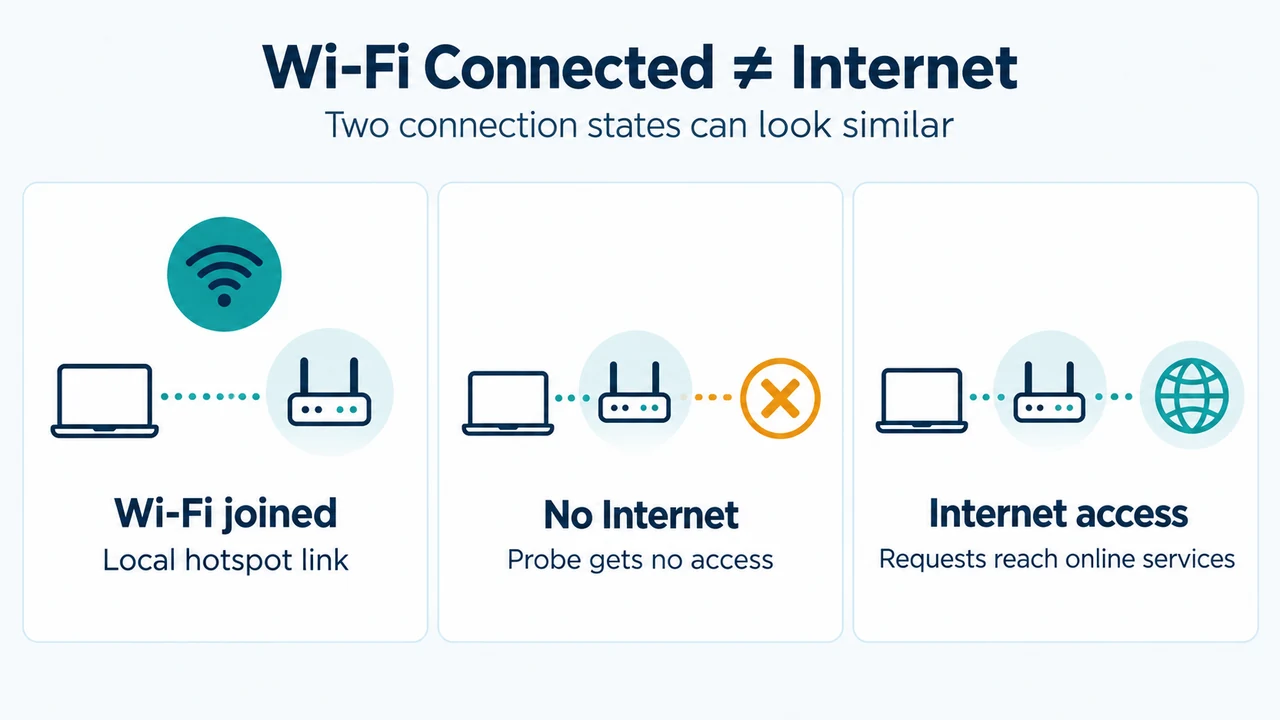
A connected Wi‑Fi state with no Internet access is different from failing to connect to Wi‑Fi. Microsoft explains that Windows can display no Internet when a small HTTP request receives no information. A missing sign-in page can therefore occur while the device is connected to the hotspot’s local network.
What the supplied evidence says about captive portals
Microsoft’s captive-portal page says Windows runs network tests when a client first connects. The tests use msftncsi.com. When Windows detects a captive portal, it repeats the tests until the portal permits Internet access. The same page says captive-portal functionality is not supported at the Windows login screen.
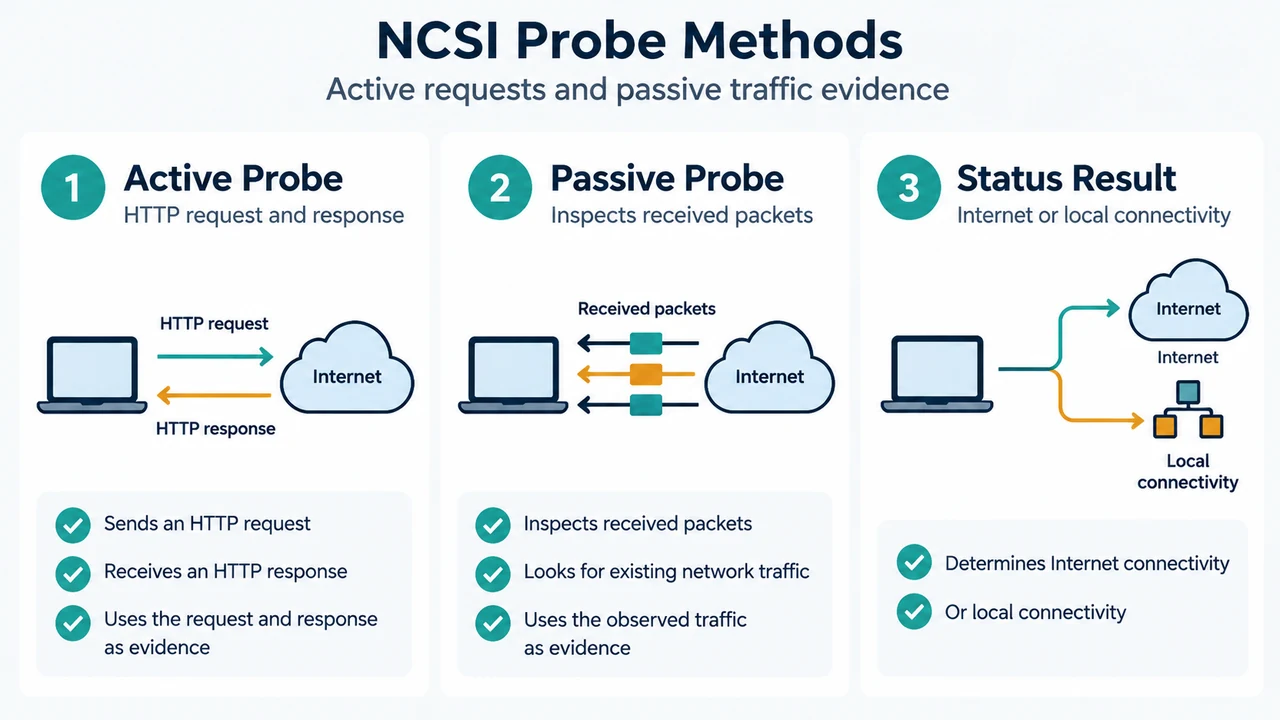
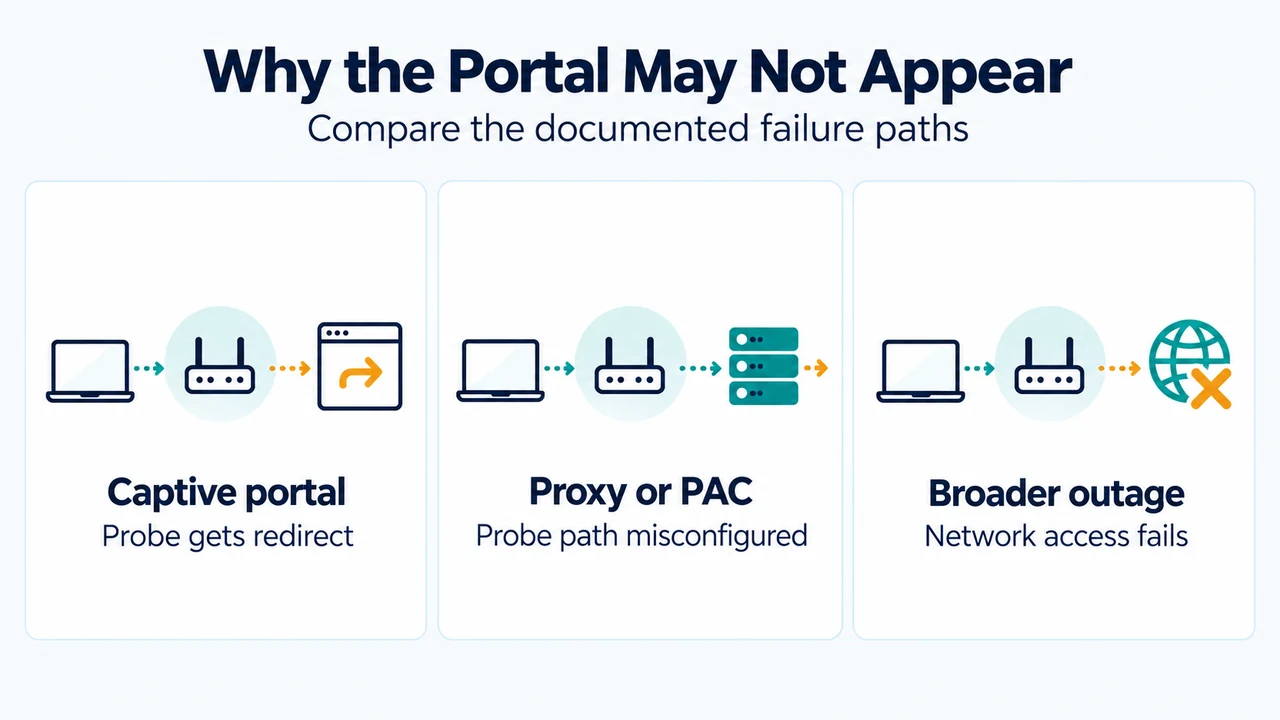
The supplied NCSI overview applies to Windows Server 2016, 2019, 2022, and 2025. It describes NCSI as a component that determines whether a connection has Internet access or is local-only. It documents active HTTP probes and passive polling. For captive-portal detection, it says an active probe must receive a response that does not match the expected Microsoft Connect Test content, and the probe must not have been sent through a known proxy. A hotspot may return an HTTP redirect or an empty response instead of allowing the probe through.
The captive-portal page documents the resulting Windows behavior: Windows opens the browser when it detects the portal, and the portal continues to be checked until authentication succeeds. These excerpts do not establish that every hotspot uses the same redirect, browser behavior, or authentication flow.
Review the proxy setting
The supplied NCSI overview documents proxy and PAC conditions that can prevent an active probe from completing. These include a proxy that has not been discovered, a discovered proxy that cannot be reached, a PAC file that does not map www.msftconnecttest.com to the correct proxy, or a misconfigured proxy.
For a normal public Wi‑Fi connection, review the local setting:
- Open Settings > Network & Internet > Proxy.
- Review any manual proxy setting.
- If you enabled a manual proxy for another network, turn it off temporarily and reconnect to the hotspot.
Record the previous setting so you can restore it when needed. If the device is managed by an organisation, follow its instructions before changing a required proxy or PAC configuration. The supplied evidence does not show that changing a proxy will resolve every captive-portal problem.
Do not disable NCSI active probing as a fix. The supplied NCSI overview warns that passive polling alone cannot determine every network-connectivity issue.
Use general Wi‑Fi checks before network reset
If the network is not connected or remains limited, Microsoft’s supplied Windows Wi‑Fi guidance documents reconnecting to the network, renewing the IP configuration, flushing the DNS cache, and checking proxy settings. The excerpt does not establish that any one of these actions will make a hotspot sign-in page appear.
Network reset is a last step. Microsoft says that on Windows 11 it removes installed network adapters and their settings, then reinstalls the adapters after restart with default settings. You might need to reinstall and configure networking software such as VPN clients or Hyper‑V virtual switches. Known connections might also become public network profiles. These effects make network reset a broader change than reviewing connection status or a manual proxy setting.
What these checks can establish
If an unintended manual proxy is removed and the connection changes, the proxy was a documented possible factor. If the device remains connected locally but has no Internet access, the supplied evidence does not identify one universal cause. It documents captive portals, proxy and PAC conditions, and broader device or network problems as possible reasons for failed connectivity checks.
The supplied evidence does not establish a universal browser workaround, a standard hotspot gateway address, or a guaranteed way to open every provider’s portal. If these checks do not resolve the problem, use the hotspot operator’s documented access process or contact the operator instead of applying an unverified address or using network reset as a first response.
Research method and limitations
This answer was prepared from the supplied public source excerpts retrieved on September 23, 2026, plus the supplied Microsoft Wi‑Fi excerpt retrieved on September 22, 2026. The captive-portal and NCSI pages are Microsoft primary documentation; the Wi‑Fi page is Microsoft support guidance. The Wi‑Fi passage is truncated, so only its visible instructions and warnings are used. The NCSI excerpt is labeled for Windows Server editions and is not treated as direct Windows 11 documentation. The supplied Mozilla competitor page was inaccessible, and the other competitor excerpt was truncated and used only for coverage comparison. No hands-on test, benchmark, or comprehensive review was performed.
Text version of the diagrams
- Wi‑Fi Connected ≠ Internet: Wi‑Fi joined — Local hotspot link; No Internet — Probe gets no access; Internet access — Requests reach online services
- Why the Portal May Not Appear: Captive portal — Probe gets redirect; Proxy or PAC — Probe path misconfigured; Broader outage — Network access fails