Windows coordinates airplane mode across user-mode services, Human Interface Device (HID) hardware controls, and driver-level radio interfaces. The supplied Microsoft driver documentation describes the internal architecture, service boundaries, and diagnostic logging concepts for these components; however, it does not document consumer-facing repair procedures, registry modifications, or Device Manager steps for resolving a stuck or grayed-out Airplane Mode toggle in Windows 11.
Documented Windows Radio Management Architecture
According to Microsoft hardware and driver specifications, radio power control operates through specific architectural components and boundaries:
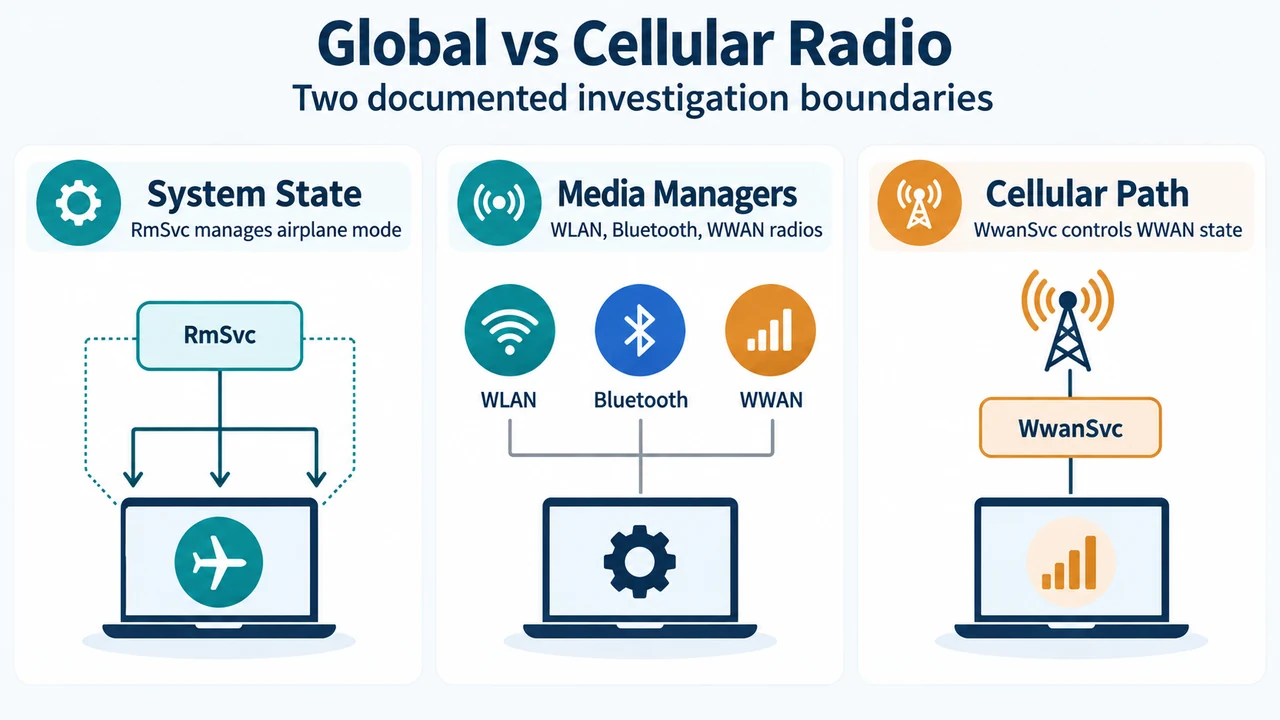
- System Radio State and Service Roles: System Radio State is a system-wide state that serves as the primary indicator of airplane mode. It is managed by the Radio Management Service (
RmSvc, hosted inRmSvc.dll).RmSvciterates across several media managers, includingWlanRadioManager,BlueTooth, andWwanRadioManager. Each radio manager manages abstract radio instances corresponding to hardware modules. - HID Airplane Mode Controls: Starting with Windows 8, Windows supports airplane mode controls via Human Interface Devices (HID) on battery-powered mobile systems. These controls reside on the Generic Desktop usage page (
0x000CWireless Radio Controls). Documented usages include stateless toggle buttons (Usage ID0x00C6), LEDs (0x00C7), and physical slider switches (0x00C8). The ShellHW Detection service (SHSVCD.dll) runs in user mode as the HID client service monitoring for this Top Level Collection. - Mobile Broadband Control Flow and Structures: In mobile broadband devices, requests from
RmSvcor the UI pass via RPC to the WWAN Service (WwanSvc.dll), which issues commands to modem hardware using the command IDMBIM_CID_RADIO_STATE. The data structure returned in response to queries, set operations, and unsolicited notifications isMBIM_RADIO_STATE_INFO. This structure reports two discrete fields:HwRadioState(reporting the state of the physicalW_DISABLEswitch, defaulting toMBIMRadioOnif absent) andSwRadioState(reporting the software-configured state, set toMBIMRadioOfforMBIMRadioOn). - Power State vs. Radio State: Device power states (such as active
D0and low-powerDx) and radio states are distinct but correlated concepts. In mobile broadband architecture, the kernel-mode driverMbbCx.sysmanages device transitions betweenD0andDx, including the logic and control of radio state recovery before and after power transitions.
Diagnostic Investigation Boundaries
For investigating radio state behavior, the documentation establishes specific diagnostic boundaries based on failure scenarios:
- Global vs. Local Scenarios: Microsoft guidance instructs investigators to determine whether a failure is global (affecting system-wide radio state) or local (affecting a specific media type such as cellular). For general airplane mode issues, investigation focuses on
RmSvcandWwanRadioManager. For UI display desynchronization or state discrepancies, analysis starts withWwanSvc. For sleep, hibernation, orD0/Dxpower transitions, logging focuses onMbbCx. - HID Stateless Button Reporting: When implementing a stateless toggle button, PC manufacturers are instructed to send the HID input report when the button is released rather than when pressed, because toggle buttons operate as relative inputs.
- Driver Testing Tools: Verification of mobile broadband radio states is documented through developer tools, including
CellularRadioTest.dll(such asVerifyCellularRadioToggleandVerifyCellularRadioRecoveryToOnAfterAPM) and Hardware Lab Kit (HLK) tests (TestRadioStateSoftwareandTestRadioStateHardware).
Research Method and Limitations
This article was prepared directly from supplied public Microsoft Learn driver architecture documentation covering HID airplane mode radio management and mobile broadband radio states. It does not incorporate hands-on hardware testing, lab benchmarks, or competing external coverage, as none was accessible. The available primary evidence documents driver APIs, HID report structures, and service communication flows; it contains no documented end-user troubleshooting workflows, Device Manager driver reinstallations, or registry modifications for unsticking grayed-out Windows 11 airplane mode switches.
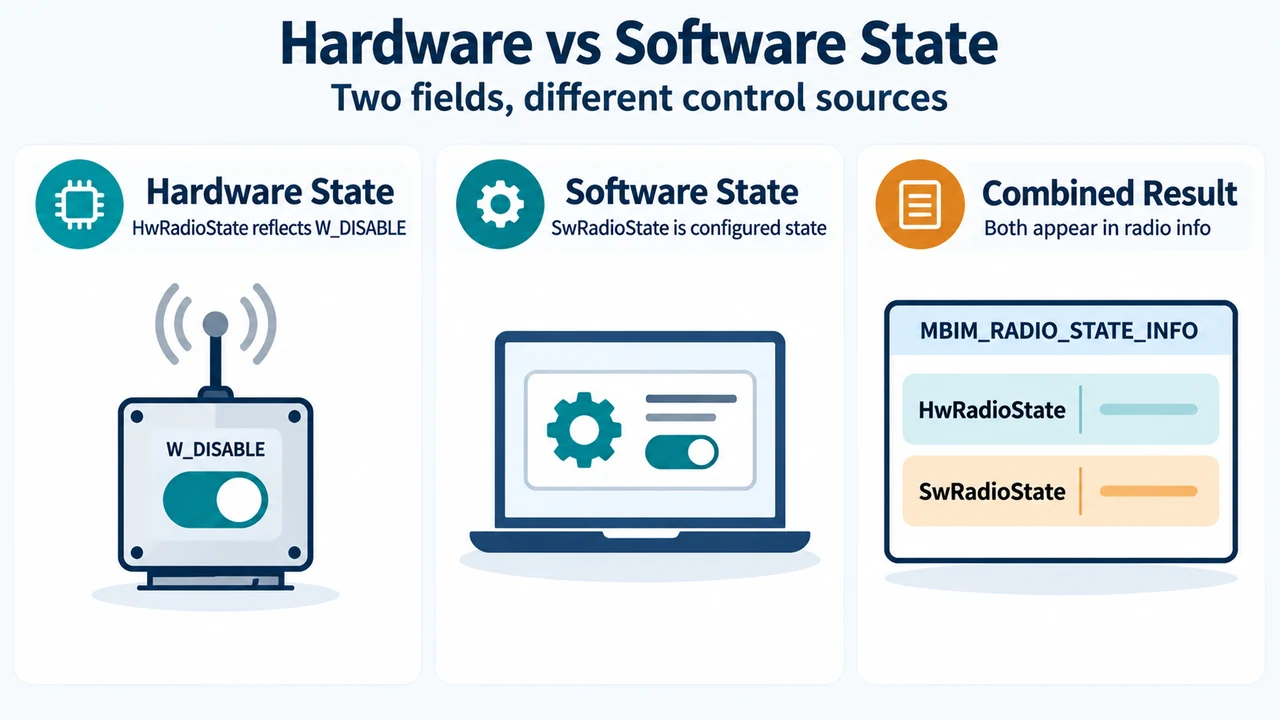
Text version of the diagrams
- Global vs Cellular Radio: System State — RmSvc manages airplane mode; Media Managers — WLAN, Bluetooth, WWAN radios; Cellular Path — WwanSvc controls WWAN state
- Hardware vs Software State: Hardware State — HwRadioState reflects W_DISABLE; Software State — SwRadioState is configured state; Combined Result — Both appear in radio info