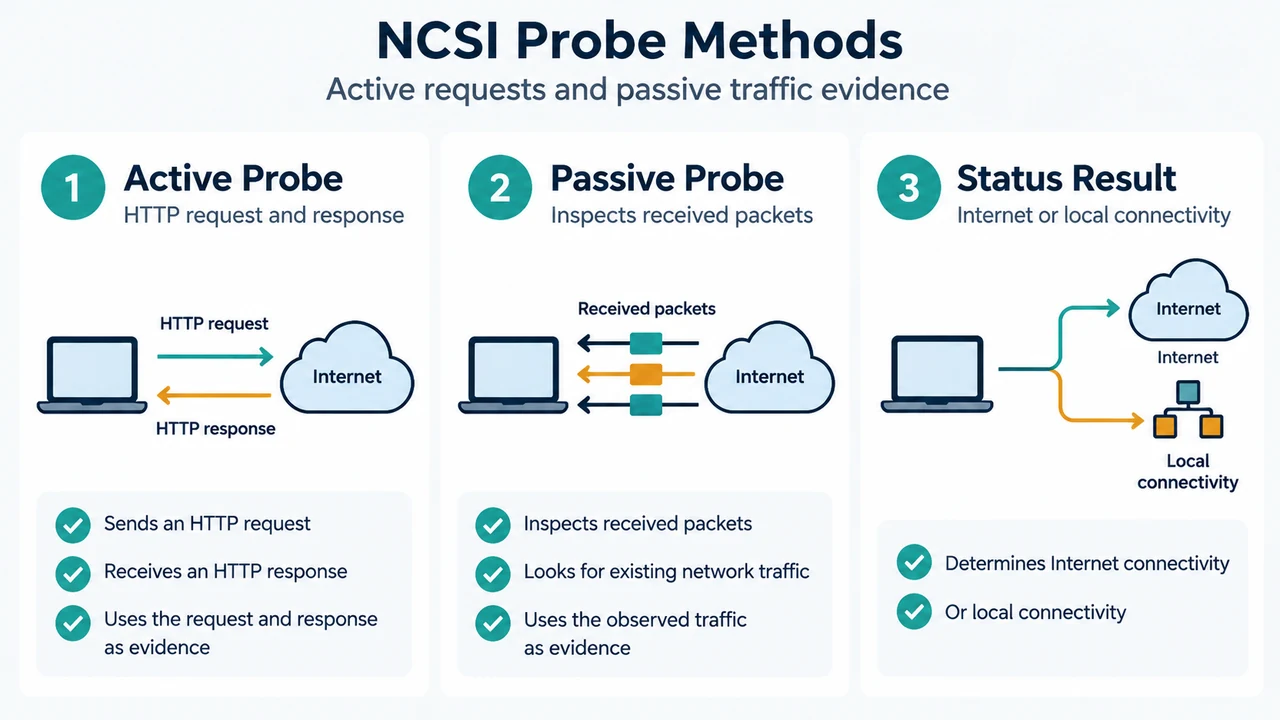
The Network Connectivity Status Indicator (NCSI) determines whether a device has Internet connectivity or only local connectivity. It uses active HTTP probes and passive inspection of received network traffic. NCSI helps applications avoid checking network configuration independently.
This guide is based on Microsoft documentation for Windows Server. It explains what the probes report, how NCSI identifies a captive portal, how to inspect NCSI analytic events, and how to create a network-change event that can lead to another active-probe attempt. It does not establish that every described path or label is identical on Windows 11.
What NCSI Checks
An active probe sends an HTTP request to a predefined NCSI probe server and evaluates the response. NCSI sends separate IPv4 and IPv6 probes in parallel. If either probe succeeds, NCSI determines that the device has Internet connectivity.
Passive probing examines received packet data to determine network status. The two methods complement each other. For example, passive probing can help when an intermittent router problem causes an active probe to return a false negative without a change in the network interface state.
NCSI can also work with proxies. Documented failure conditions include a proxy that has not been discovered, a discovered proxy that cannot be reached, a misconfigured Proxy Auto-Config file that does not map www.msftconnecttest.com correctly, or another proxy misconfiguration. An HTTP 403 Forbidden response can indicate that a proxy blocked the outbound probe.
When NCSI Reports a Captive Portal
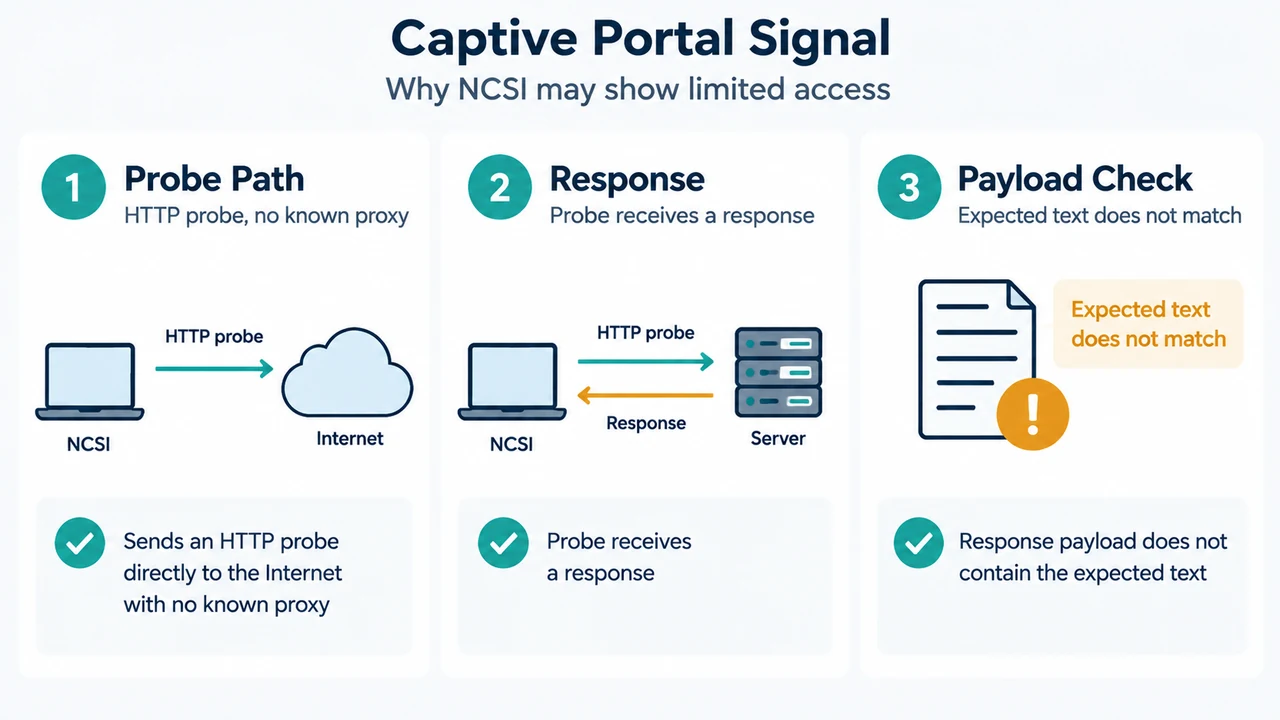
NCSI can identify a captive portal when all of these conditions apply:
- An active HTTP probe was sent without using a known proxy.
- The probe received a response.
- The response payload did not match the expected content,
Microsoft Connect Test.
A public network may return an HTTP redirect or an empty response instead of allowing the probe to reach the Internet. These conditions explain why a warning can appear; the supplied excerpts do not document the authentication steps needed to clear the warning.
Inspect NCSI Analytic Events
Microsoft’s troubleshooting guide documents this Event Viewer procedure:
- Open Event Viewer, or press Win + R, enter
eventviewer.exe, and press Enter. - Expand
Applications and Services Logs > Microsoft > Windows > NCSI. - Right-click NCSI, choose View > Show Analytic and Debug Logs, and then enable the Analytic log.
- Note that enabling the log may cause existing Analytic and Debug events to be lost.
In Microsoft’s successful example, event 4013 records an active probe starting, event 4017 records the HTTP probe starting, and event 4005 records entry into Internet Connectivity. In the failed example, event 4005 records Local Connectivity, followed later by event 4051 with result code 12007. The guide recommends correlating NCSI events with packet-capture timestamps to determine whether a probe was sent, completed, and why it failed.
Create a Network-Change Event for Another Probe Attempt
The troubleshooting guide says that forcing a network change can be used to troubleshoot whether an active probe completes. For a wireless connection, start the capture before connecting to the wireless network, connect, and wait 60 seconds so the active-probe activity can occur.
For an adapter-based test, the guide documents disabling the adapter in Advanced network settings, waiting 30 seconds, enabling it again, and waiting 60 seconds before stopping the capture. This creates the documented network-change condition; the excerpt does not guarantee an immediate probe restart or a successful connection.
Do Not Disable Active Probing
Microsoft warns against disabling active probing as a resolution. Passive polling alone cannot determine every network-connectivity condition, so turning off active probes can leave NCSI unable to identify some failures accurately.
Research Method and Limitations
This answer was prepared from the supplied public Microsoft Learn excerpts for the NCSI overview and troubleshooting guide. Both excerpts are scoped to Windows Server, so they do not verify Windows 11-specific interfaces or version behavior. The supplied material does not provide a captive-portal authentication procedure, and no competing coverage was supplied for comparison.
Text version of the diagrams
- NCSI Probe Methods: Active Probe — HTTP request and response; Passive Probe — Inspects received packets; Status Result — Internet or local connectivity
- Captive Portal Signal: Probe Path — HTTP probe, no known proxy; Response — Probe receives a response; Payload Check — Expected text does not match